JSON vs YAML vs XML: Which Data Format Should You Use?
A practical comparison of JSON, YAML and XML: syntax, comments, types, tooling and performance, with clear advice for APIs, config files and documents.
 By Avinash KoriPublished 5 min read
On this page
JSON, YAML and XML can all describe the same data. A list of servers with a name, a port and a few tags fits comfortably in any of them. Yet each format dominates a different corner of software: JSON owns web APIs, YAML owns configuration for Kubernetes, Docker Compose and CI pipelines, and XML still runs office documents, RSS feeds, SOAP services and Android layouts.
Choosing well saves you real work later. This guide compares the three formats on the points that matter in practice and ends with simple rules for picking one.
The same data in three formats
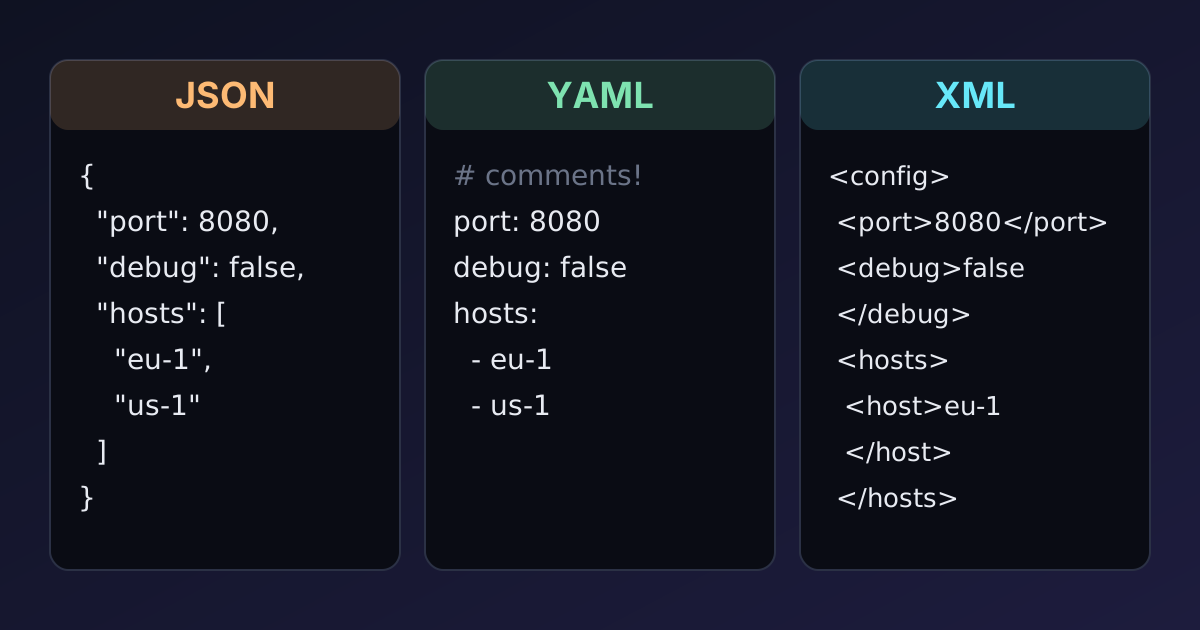
Here is one small configuration written three ways.
JSON
{
  "service": "api",
  "port": 8080,
  "debug": false,
  "hosts": ["eu-1.example.com", "us-1.example.com"]
}
YAML
# Production API service
service: api
port: 8080
debug: false
hosts:
  - eu-1.example.com
  - us-1.example.com
XML
<?xml version="1.0" encoding="UTF-8"?>
<config>
  <service>api</service>
  <port>8080</port>
  <debug>false</debug>
  <hosts>
    <host>eu-1.example.com</host>
    <host>us-1.example.com</host>
  </hosts>
</config>
Three differences jump out. YAML is the shortest and the only one with a comment. JSON is a little noisier but completely unambiguous. XML is the longest, and nothing in it says that 8080 is a number or false a boolean: in XML everything is text until a schema says otherwise.
Side-by-side comparison
| JSON | YAML | XML | |
|---|---|---|---|
| Comments | No | Yes (#) | Yes (<!-- -->) |
| Native types | String, number, boolean, null, array, object | Same as JSON, plus dates and more (parser-dependent) | Text only (types come from a schema) |
| Structure by | Brackets and braces | Indentation | Opening and closing tags |
| Attributes and mixed text | No | No | Yes |
| Schema languages | JSON Schema | JSON Schema (via JSON) | XSD, DTD, RELAX NG |
| Parsing speed | Fast, built into every language | Slower, complex specification | Moderate; streaming parsers available |
| Typical use | APIs, data exchange, logs | Config files, CI pipelines, Kubernetes | Documents, feeds, enterprise integrations |
JSON: the default for data exchange
JSON's biggest strength is that it is small and strict. The whole grammar fits on one page, so every language parses it the same way, and parsers are fast. Browsers have JSON.parse built in, which is why REST and GraphQL APIs settled on it.
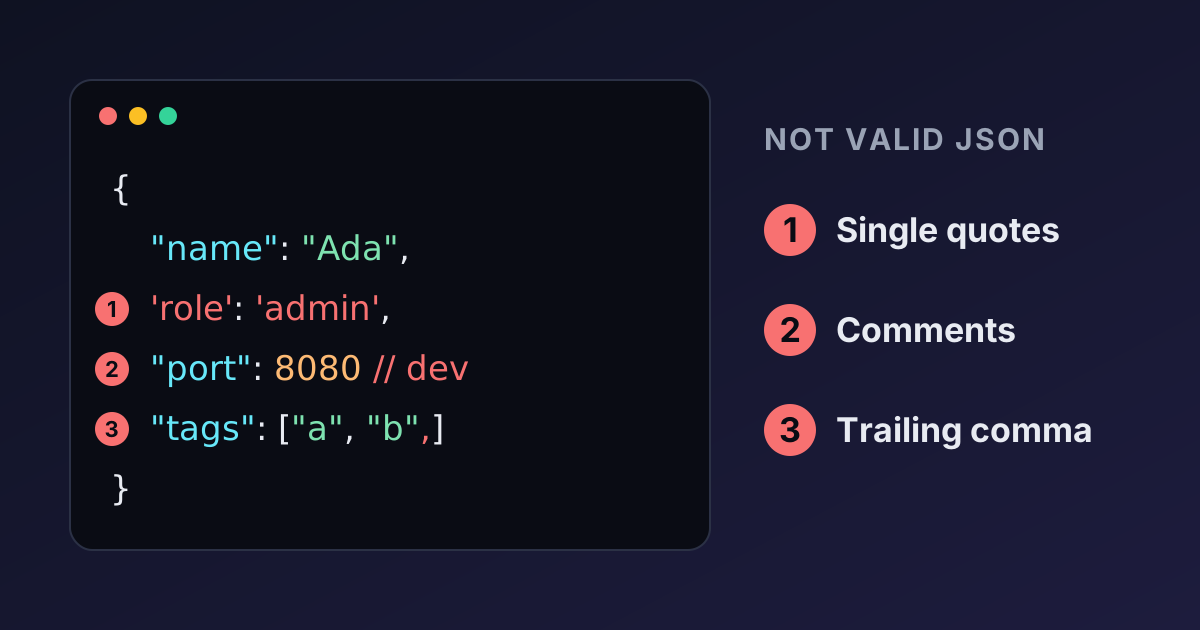
Its strictness is also its main annoyance for humans. There are no comments, no trailing commas and no multi-line strings, and a single misplaced quote breaks the whole file. Our guide to common JSON syntax errors lists the mistakes people hit most.
Choose JSON when a program writes the data and another program reads it: API requests and responses, message queues, browser storage, logs and exports. Use the JSON Formatter when a person needs to read it.
YAML: written for people
YAML was designed for humans to write. Indentation replaces brackets, quotes are optional, and comments make it easy to explain why a setting has its value. That is why it became the format of choice for configuration in Kubernetes, Docker Compose, GitHub Actions, GitLab CI and Ansible.
YAML 1.2 was also designed as a superset of JSON, so in practice you can paste a JSON document into a YAML file and it parses to the same data.
The convenience has a price. Because quotes are optional, the parser has to guess what type each value is, and the guesses depend on the YAML version your parser follows. Under YAML 1.1 rules, still used by PyYAML and many other tools, country: NO becomes the boolean false and a ZIP code like 02134 becomes the octal number 1116. Indentation errors are silent too: a list item indented one space too far ends up attached to the wrong key without any error. These traps are covered in detail in YAML gotchas.
Choose YAML when people edit the file by hand and comments matter: application config, deployment manifests and CI pipelines. Check files with the YAML Validator, which shows how every value is interpreted.
XML: built for documents
XML predates both. It is verbose, but it can do things the other two cannot:
- Attributes and mixed content.
<p>Press <kbd>Ctrl</kbd> + <kbd>C</kbd></p>mixes text and markup, which is exactly what documents need. That is why Word (.docx), SVG, XHTML and many publishing formats are XML. - Namespaces. Elements from different vocabularies can live in one document without name clashes.
- Mature schemas and tooling. XSD validates structure and types, XPath queries documents, and XSLT transforms them.
The verbosity also means bigger files and more code to read them, and the mapping to programming-language objects is awkward: should <port>8080</port> become a string or a number? Should a single <host> become an array with one item? Converters have to make these choices, which is why XML to JSON conversion rarely round-trips perfectly.
Choose XML when you integrate with a system that requires it (SOAP, many banking and healthcare standards, RSS and Atom feeds, sitemaps), or when your data is really a document with mixed text and markup.
What about TOML and other alternatives?
YAML's ambiguity pushed some ecosystems to other formats. TOML (used by Rust's Cargo.toml and Python's pyproject.toml) looks like an INI file with real types: strings are always quoted, so there's no guessing. JSONC and JSON5 add comments and trailing commas to JSON and are used for editor and TypeScript config. They are good choices for config files, but they are less universal: check that every tool that reads the file supports them.
How to choose: four quick rules
- Machines talking to machines → JSON. It is fast, strict, and every language reads it identically.
- People editing config → YAML (or TOML if you control the tooling and want fewer surprises). Quote strings that could be mistaken for other types.
- Documents, feeds or a required standard → XML.
- Don't fight your ecosystem. If your platform uses YAML (Kubernetes) or XML (Maven's
pom.xml), use it, even if you'd prefer something else.
Converting between formats
You often need to move data from one format to another: an API response into a Kubernetes manifest, or a legacy XML feed into JSON for a front end. Some practical advice:
- JSON → YAML is lossless. Every JSON value has a YAML equivalent. The JSON to YAML converter produces clean, readable output.
- YAML → JSON loses comments and anchors are expanded. Check the result for values that changed type, such as
onorNO. Use YAML to JSON to see exactly what a parser reads. - JSON ↔ XML needs conventions. Arrays have no direct XML equivalent (they become repeated elements), and attributes have no JSON equivalent (they are often prefixed with
@). Try JSON to XML and review the result before relying on it.
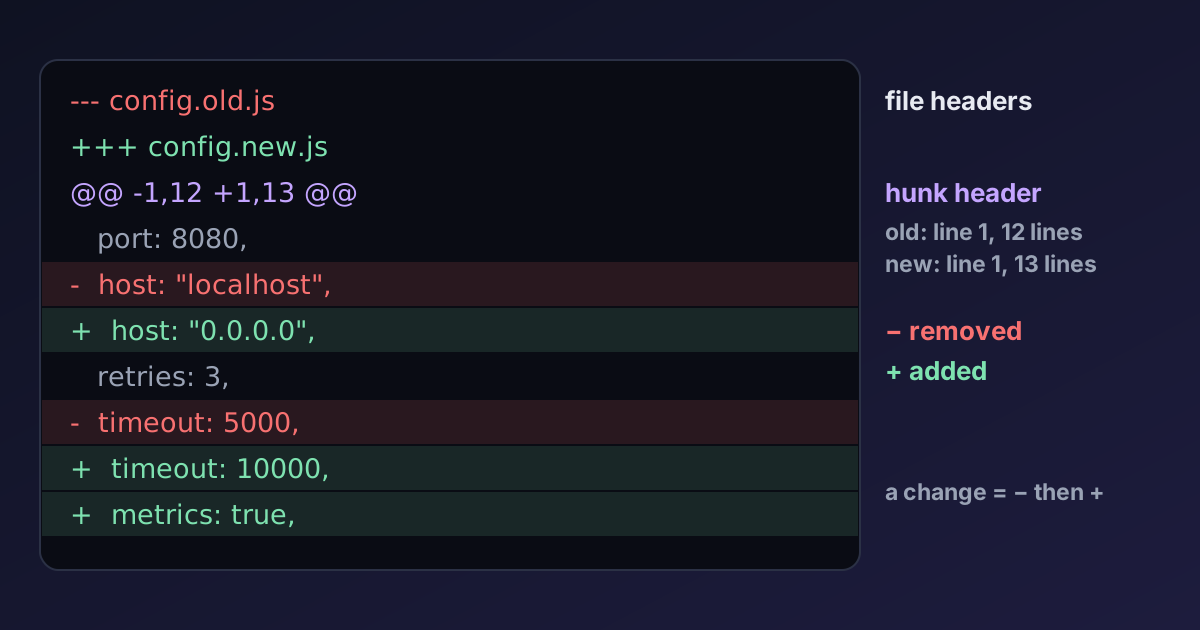
After a conversion, compare the parsed data rather than the text. The JSON Diff tool ignores key order and formatting, so it shows only real changes in values.
Summary
JSON is the right default for data that programs exchange. YAML is the most pleasant format for people to write, as long as you know its type-guessing rules. XML remains the best fit for documents and for standards that require it. Pick by who reads and writes the file, follow your ecosystem's conventions, and validate after every conversion.

Written by
Avinash Kori
Founder of Devtoolry
Avinash builds Devtoolry, a set of free developer tools that run entirely in the browser, and writes practical guides on the formats, encodings and techniques behind them.
Try it yourself
The free tools used in this article. They run in your browser, so nothing you paste is uploaded.
JSON to YAML
Convert JSON to clean, human-readable YAML online. Turn API responses and package files into config for Kubernetes, Docker Compose or CI pipelines.
YAML to JSON
Convert YAML documents to formatted JSON online with syntax validation. Errors are reported by line, so broken indentation is quick to find and fix.
JSON to XML
Convert JSON to well-formed XML online with a configurable root element and attribute support. Validate the input and download the XML file.
XML to JSON
Convert XML to JSON online, keeping attributes and turning repeated elements into arrays. Malformed XML is reported with its location.