FreeNo sign-up. No daily limits.
Free online developer tools, one search away
Format JSON, compress a PDF, remove a background or run C++. 233 of the 287 tools work entirely in your browser.
- 287 free tools
- 233 run in your browser
- No sign-up
Try it here · live
In your browserDrop a file to start
PDF, JPG, PNG, HEIC, Word, Excel or PowerPoint: drop it here and pick what to do. The right tool opens with your file already in it.
Your file stays on your device. Check it yourself
Popular tools
Open one and start. No account, no upload screen.
C Compiler
Compile and run C code online with Clang 21, a GCC-compatible compiler: pick C89 (ANSI C), C99, C11, C17 or C23 and add stdin input. Your code stays private.
Runs in your browser
HTML Viewer
Free online HTML viewer: paste HTML code and see it rendered live in a secure sandboxed preview. Check snippets, emails and templates with scripts off.
Runs in your browser
Unix Timestamp Converter
Convert a Unix timestamp (epoch time) in seconds or milliseconds to a readable date and back, in any time zone, and see the current Unix time live.
Runs in your browser
Base64 Encode / Decode
Decode Base64 to text or encode text to Base64 online, with full UTF-8 and URL-safe Base64 support. Conversion runs in your browser, so nothing is uploaded.
Runs in your browser
JSON Formatter
Format and beautify JSON with configurable indentation and optional key sorting. Errors are reported with exact line and column.
Runs in your browser
Image Compressor
Compress JPG, PNG and WebP images online to an exact size like 20 KB, 50 KB or 100 KB for upload forms, or by quality. Images never leave your browser.
Runs in your browser
Compress PDF
Compress PDF files online to a size limit like 100 KB, 200 KB or 500 KB for upload forms, or by level. Text stays sharp where possible. Nothing is uploaded.
Runs in your browser
JPG & PNG to PDF
Convert JPG, PNG and WebP images to one PDF online. Reorder pages, choose A4, Letter or image size, orientation and margins. Photos stay on your device.
Runs in your browser
Browse by category
Ten toolboxes. Each tool lives in exactly one.
You always know where your data goes
Every tool page carries one of two labels, right under its name.
Check it yourself in two minutesRuns in your browser
233 tools
Files, code and text are processed on your device with WebAssembly and Web Workers. Nothing is uploaded, and your browser's network panel shows it.
Uses our server
54 tools
SEO checkers, HTML to PDF and Text to Speech need a server to fetch a page or render a file. Each of these pages says what is sent, and nothing is stored.
Browser extension
Check any page's SEO without leaving it
The free Devtoolry extension works on the site you are already looking at. No account and no daily limit.
- On-page SEO score
- Broken links on the page
- Where the site ranks in Google
- Every Devtoolry tool, one click away
From the blog
All articles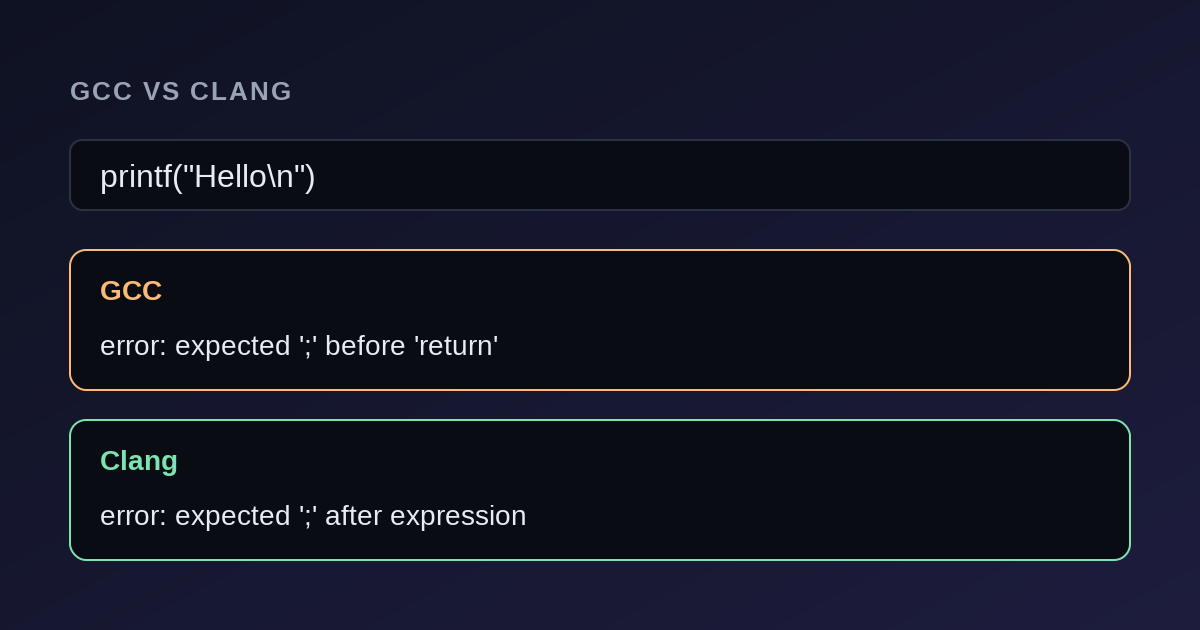 Programming Languages
GCC vs Clang: What Is the Difference for C Programmers?
Clang vs GCC benchmarked on five programs: Clang won three, GCC one, one tie. Plus error messages, flags, GNU extensions and which to use for C and C++.
· 12 min read
 Time & Scheduling
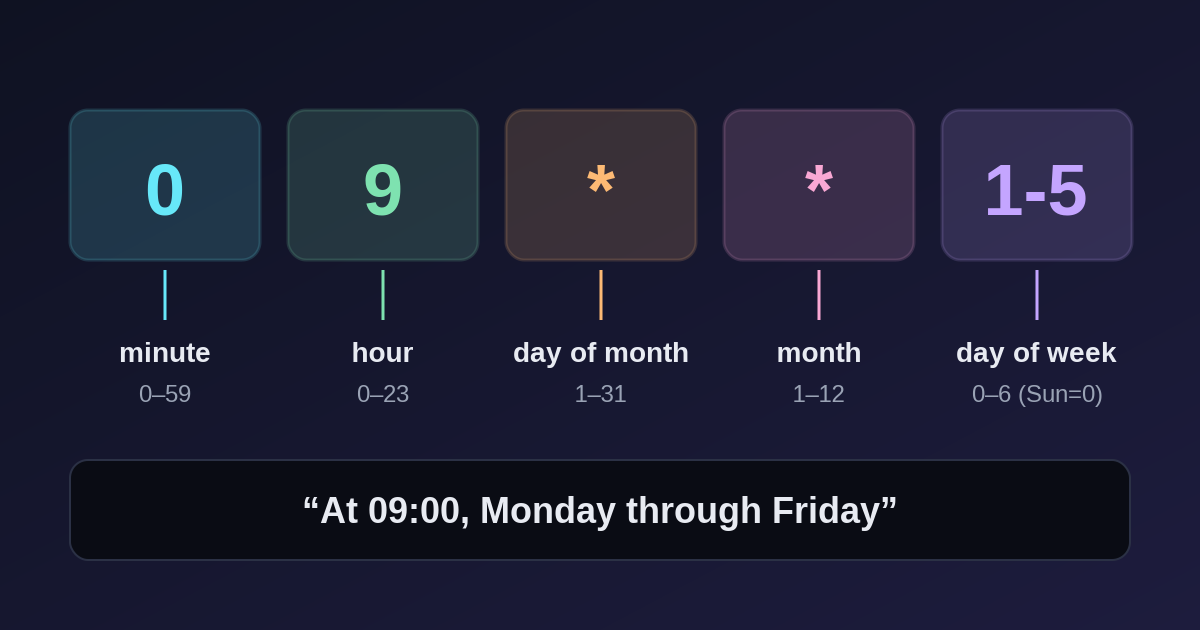
Cron Expressions Explained: Syntax, Examples and Common Mistakes
What a cron expression is and how to read one: the five fields, special characters, 20 tested examples, the day-of-week OR trap, time zones and DST.
· 9 min read
 Programming Languages
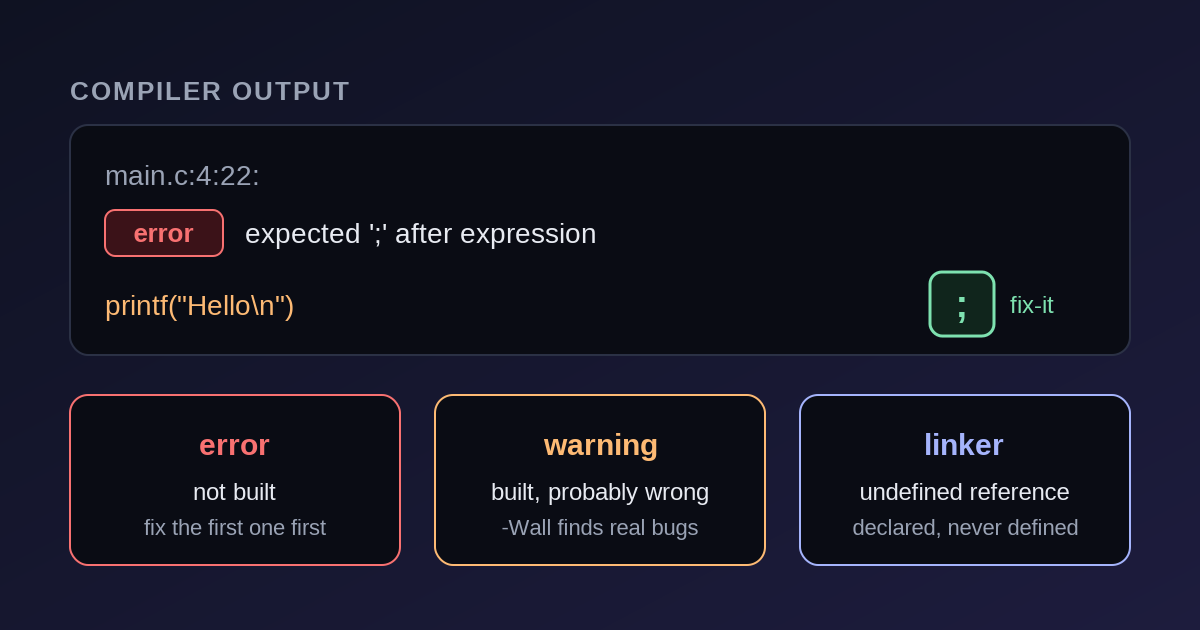
C Compiler Errors and Warnings, Explained With Fixes for Clang and GCC
10 common C compiler errors and warnings, from expected ';' to undefined reference, with real Clang and GCC output, what each one means and how to fix it.
· 7 min read

Built by
Avinash Kori
Founder of Devtoolry · Surat, India
Avinash is a full-stack web developer from Surat, India, with eight years of experience in PHP, Laravel and Angular. He built Devtoolry so developers can solve everyday problems quickly with free tools that run entirely in the browser, and writes practical guides on the formats, encodings and techniques behind them.
Missing a tool or found a bug? Send feedback: requests decide what gets built next.
Connect on LinkedIn (opens in a new tab)More about Devtoolry
Frequently asked questions
Are the Devtoolry tools really free?
Yes. Every tool works without an account, a trial or a daily limit, and there is no paid plan. A free account only adds saved keyword projects and site monitors.
Is my code or data uploaded?
Formatters, converters, generators, the diff checker, the PDF and image tools and every compiler run in your browser, so your input never reaches our server. The exceptions are clearly marked on their pages: HTML to PDF renders on our server, and the SEO checkers fetch the public pages you ask about. None of them store what you send.
Do the compilers run my code on a server?
No. C, C++, Go, Python, PHP, Ruby, R, JavaScript, TypeScript and SQL run as WebAssembly or in a Web Worker inside your browser tab, isolated from the page. Your source code and input are never sent to a server.
Do I need to install anything?
No. Everything opens in a modern browser on desktop or phone; the heavier tools (compilers, background remover, OCR) download their engine the first time you use them.
Who builds Devtoolry?
Devtoolry is built by Avinash Kori, a full-stack developer from Surat, India. Requests and bug reports through the feedback page decide what gets built next.