Time Zones and Daylight Saving Time: 8 Bugs Developers Keep Writing
Times that don't exist, times that happen twice, days with 23 hours and offsets that aren't time zones: tested examples of DST bugs and how to avoid them.
 By Avinash KoriPublished 6 min read
On this page
Time zone bugs are special. They pass every test, ship to production, and then fail on two specific nights a year, or only for users in one country, or only for meetings booked three weeks ahead. By the time someone reports them, the logs show nothing unusual.
The cure is to understand a few facts about how civil time actually works. This article walks through eight bugs that appear again and again, each with a tested example (using New York, London and a few less common zones in 2026), and the fix for each.
First, three definitions
- UTC is the global reference time. It has no daylight saving time.
- An offset is a fixed difference from UTC, such as
-05:00or+05:30. - A time zone is a region's rules for which offset applies when, identified by an IANA name such as
America/New_YorkorEurope/London. New York's offset is-05:00in winter and-04:00in summer, and the dates of the switch are set by law and can change.
Most bugs come from treating these three as the same thing.
Bug 1: storing an offset instead of a time zone
A user in New York schedules a weekly call for 09:00. The app stores 09:00-05:00. In March the US switches to daylight saving time, New York moves to -04:00, and the call now appears at 10:00 local time, every week, until someone complains.
An offset describes one moment; a time zone describes a place. For future and recurring events, store the local time and the IANA zone name (09:00, America/New_York) and compute the UTC instant when needed. For past events (log entries, payments), storing UTC is perfect, because the moment already happened.
Bug 2: times that don't exist
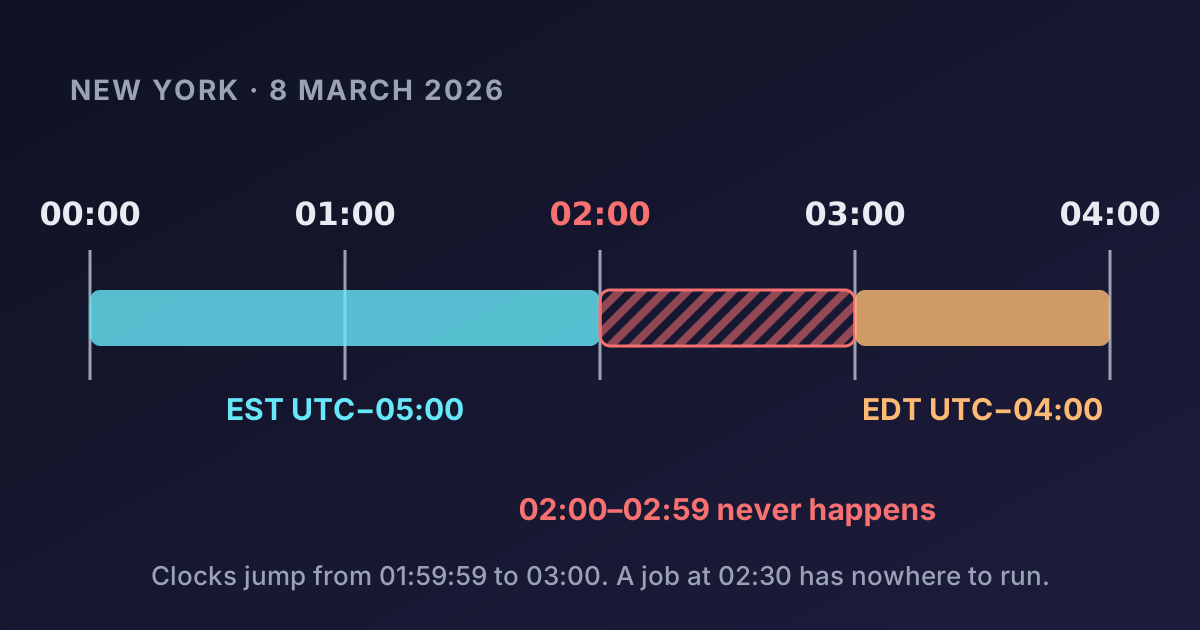
On 8 March 2026, clocks in New York jump from 01:59:59 straight to 03:00. The local time 02:30 never happens. What does your code do when a user picks it?
from datetime import datetime
from zoneinfo import ZoneInfo

ny = ZoneInfo("America/New_York")
t = datetime(2026, 3, 8, 2, 30, tzinfo=ny)
t.astimezone(ZoneInfo("UTC")).astimezone(ny)   # 2026-03-08 03:30:00-04:00
Python quietly moves it forward to 03:30. JavaScript does the same (new Date(2026, 2, 8, 2, 30) in New York gives 03:30 EDT). Other libraries throw an error or move it backwards. Decide what your product should do (usually: move forward and tell the user), and test it. A daily job scheduled at 02:30 local time either runs at 03:30 that day or doesn't run at all, depending on the scheduler.
Bug 3: times that happen twice
On 1 November 2026, New York's clocks go from 01:59:59 back to 01:00. Every time between 01:00 and 02:00 happens twice: first at -04:00, then at -05:00.
first = datetime(2026, 11, 1, 1, 30, tzinfo=ny)           # fold=0 → 05:30 UTC
second = datetime(2026, 11, 1, 1, 30, fold=1, tzinfo=ny)  # fold=1 → 06:30 UTC
"01:30 on 1 November" is ambiguous by one hour. Sorting log lines by local time puts events in the wrong order, and a job scheduled for 01:30 might run twice. Log in UTC, and when a user enters an ambiguous time, pick one interpretation deliberately (most libraries pick the first).
The Time Zone Converter flags both cases: times that don't exist and times that are ambiguous because of a DST change.
Bug 4: assuming a day has 24 hours
The day of the spring change has 23 hours; the autumn one has 25. Adding 24 hours is not the same as adding one day:
from datetime import timedelta
UTC = ZoneInfo("UTC")
start = datetime(2026, 3, 7, 9, 0, tzinfo=ny)

# "One day later", calendar arithmetic: same wall-clock time
start + timedelta(days=1)                         # 2026-03-08 09:00-04:00

# 24 hours later, elapsed time
(start.astimezone(UTC) + timedelta(hours=24)).astimezone(ny)   # 2026-03-08 10:00-04:00
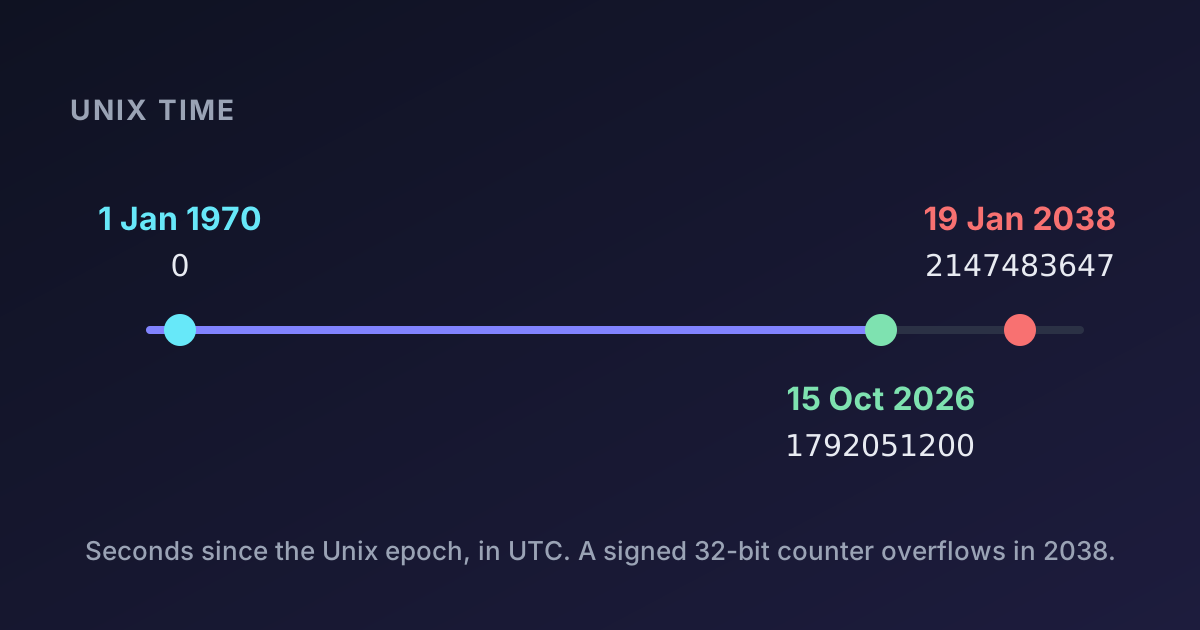
Both are correct answers to different questions. A reminder "same time tomorrow" wants calendar arithmetic. A 24-hour session timeout wants elapsed time. Bugs happen when code computes one but means the other, typically timestamp + 86400 for "tomorrow". In JavaScript, date.setDate(date.getDate() + 1) is calendar arithmetic in the runtime's local zone, which on a UTC server is not the user's zone. Our guide to Unix timestamps covers why UTC arithmetic is simple and local arithmetic isn't.
Bug 5: assuming everyone changes on the same day
The US changes clocks on the second Sunday in March and the first Sunday in November. The EU and UK change on the last Sunday in March and October. Between 8 and 29 March 2026, New York is 4 hours behind London instead of the usual 5:
9 March 2026, 09:00 New York → 13:00 London   (difference: 4 h)
9 April 2026, 09:00 New York → 14:00 London   (difference: 5 h)
A recurring transatlantic meeting moves by an hour for one side for three weeks in spring and one week in autumn. The Southern Hemisphere changes in the opposite direction (Sydney's summer time starts in October), so the difference between Sydney and London changes by two hours over a year. Many countries, including India, China and Japan, don't use DST at all.
Never hard-code a difference between two cities. Convert through UTC using real zone rules each time.
Bug 6: assuming offsets are whole hours
India is +05:30, Nepal +05:45, and parts of Australia +09:30. Lord Howe Island shifts by only 30 minutes for daylight saving. Code that stores offsets as an integer number of hours, or a time zone dropdown with only whole-hour entries, is wrong for well over a billion people.
Store offsets in minutes (or seconds), and let users choose a zone by name rather than by offset.
Bug 7: assuming the rules never change
Time zone rules are politics, and they change regularly. Mexico abolished most daylight saving time in 2022. Egypt brought DST back in 2023 after years without it. Countries sometimes announce changes with only weeks of notice.
The rules live in the IANA time zone database (tzdata), updated several times a year. Your operating system, language runtime, database and browser each have their own copy. Keep them updated, and prefer computing local times at display time from UTC plus a zone name, so updated rules apply automatically. Precomputed future UTC times for recurring local events become wrong when a rule changes, which is another reason to store the zone name (bug 1).
Bug 8: using the server's time zone
Code like new Date().getHours() or Python's datetime.now() uses the time zone of the machine it runs on. On your laptop that's your zone, in CI it's often UTC, and in production it's whatever the image was built with. The same code gives different results in each place.
Rules that prevent this:
- Set servers, containers and databases to UTC.
- Always pass an explicit zone:
datetime.now(timezone.utc),Intl.DateTimeFormat('en-GB', { timeZone: 'Europe/London' }). - Get the user's zone from their settings or the browser (
Intl.DateTimeFormat().resolvedOptions().timeZone), never from the server. - Render times that depend on "now" in the browser, where the user's zone is known.
A checklist for time-safe code
- Store past instants in UTC (or as Unix timestamps).
- Store future and recurring events as local time + IANA zone, not as a UTC time or an offset.
- Convert at the edges: parse input with an explicit zone, display in the viewer's zone.
- Choose calendar or elapsed arithmetic deliberately, and never add 86,400 seconds to mean "tomorrow".
- Handle gaps and overlaps when users enter local times around DST changes.
- Keep tzdata current everywhere.
- Test with nasty dates: the DST change days in the US and EU, a
+05:45zone, and a Southern Hemisphere zone.
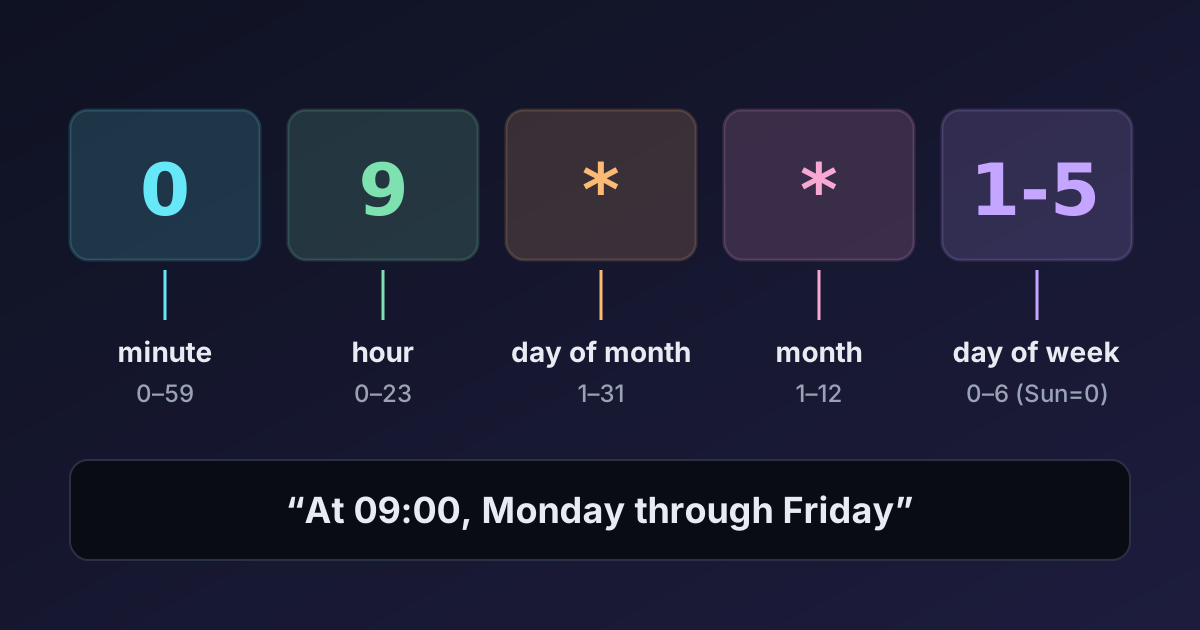
When you need to check what time it is somewhere right now, the World Clock shows current times and offsets for cities you choose, and the Unix Timestamp Converter shows any instant in any zone. Scheduled jobs have their own version of these problems, covered in our guide to cron expressions.
Summary
A UTC offset is not a time zone, a day is not always 24 hours, and some local times don't exist while others happen twice. Store instants in UTC, store future local events with their IANA zone name, convert only at the edges, and test with DST transition dates. Most time zone bugs disappear once code stops guessing.

Written by
Avinash Kori
Founder of Devtoolry
Avinash builds Devtoolry, a set of free developer tools that run entirely in the browser, and writes practical guides on the formats, encodings and techniques behind them.
Try it yourself
The free tools used in this article. They run in your browser, so nothing you paste is uploaded.
Time Zone Converter
Convert a date and time between time zones online with correct daylight saving handling, including gaps and overlaps. Compare EST, PST, GMT, CET, IST and more.
World Clock
See the current time in any two time zones online, with UTC offsets, the time difference and upcoming daylight saving changes. Compare cities at a glance.
Unix Timestamp Converter
Convert a Unix timestamp (epoch time) in seconds or milliseconds to a readable date and back, in any time zone, and see the current Unix time live.