How to Compare Two JSON Files and Find the Real Differences
Why a text diff of JSON shows noise, how a semantic JSON diff ignores key order and formatting, and how to compare JSON in the browser, with jq and in Python.
 By Avinash KoriPublished 5 min read
On this page
You have two versions of a JSON document — yesterday's API response and today's, the config in staging and in production, a fixture before and after a refactor — and you need to know what changed. The obvious move is to paste both into a diff tool. Often the result is a wall of red and green that tells you almost nothing, because the keys came back in a different order or one file is minified.
This guide explains why that happens, what a semantic JSON comparison does differently, and how to compare JSON reliably in the browser, on the command line and in code.
Why text diffs fail on JSON
A text diff compares lines. Two JSON documents can be identical as data and share almost no lines as text. These two objects are equal:
{"name":"api","port":8080,"env":{"LOG":"info"}}{
"env": { "LOG": "info" },
"port": 8080,
"name": "api"
}A line-based diff reports every line as changed. Three kinds of difference cause this noise:
- Formatting. Indentation, line breaks and spaces after colons mean nothing to a JSON parser.
- Key order. JSON objects are unordered. Serializers may emit keys in insertion order, alphabetically or in hash order, and that can change between runs or library versions.
- Equivalent spellings.
8080and8080.0are the same number to a JavaScript parser, and"caf\u00e9"is the same string as"café".
None of these are changes you care about, and together they can hide the one change you do care about.
What a semantic JSON diff does
A semantic diff compares the data, not the text. The JSON Diff tool does it in three steps:
- Parse both documents. This throws away formatting and resolves escapes, so
"caf\u00e9"and"café"become the same string. If either side doesn't parse, you see the error first. (Our guide to common JSON syntax errors helps with those.) - Normalise. Keys in every object are sorted alphabetically, at every level of nesting, and both documents are printed with the same indentation.
- Diff the normalised versions line by line, highlighting changed values, added keys and removed keys.
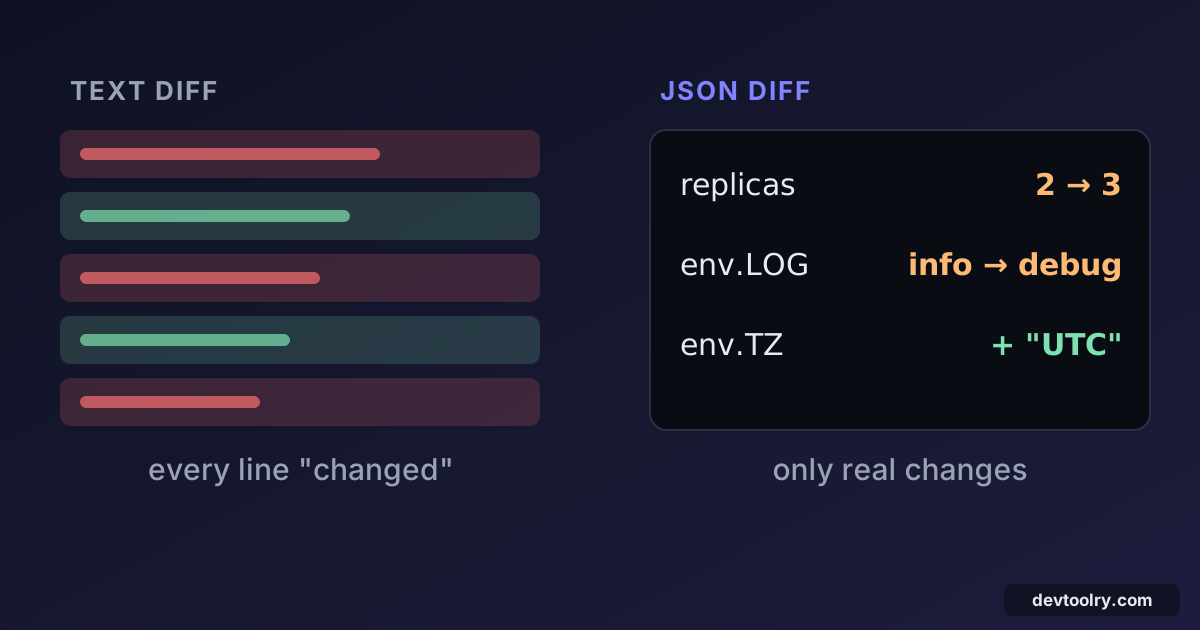
Here is a realistic case. A deployment config changed in three ways, and its keys were reordered by a different serializer:
{ "name": "api", "port": 8080, "replicas": 2, "env": { "LOG": "info" } }{ "replicas": 3, "name": "api", "port": 8080, "env": { "LOG": "debug", "TZ": "UTC" } }A text diff marks both lines as entirely different. The semantic diff shows exactly three changes: replicas went from 2 to 3, env.LOG from info to debug, and env.TZ was added. name and port show up only as unchanged context, because they didn't change.
The array question
Objects are unordered, but arrays are ordered. ["a", "b"] and ["b", "a"] are different values, and a JSON diff will report them as different. That's correct for most data (a list of steps, a sorted leaderboard), but sometimes an array is really a set: tags, permissions, feature flags.
When order doesn't matter, sort those arrays before comparing. For arrays of objects, sort by a stable key such as id. Otherwise one inserted item at the top shifts every element and looks like everything changed. Some teams sort such arrays when they write the data, which also makes Git diffs of JSON files much more useful.
Comparing JSON on the command line
jq can normalise JSON the same way. The -S flag sorts keys:
diff <(jq -S . old.json) <(jq -S . new.json)This pretty-prints both files with sorted keys and diffs the results. (Process substitution, the <(...) syntax, needs Bash or Zsh. In other shells, write the sorted output to two temporary files first.)
For an order-insensitive comparison of an array of objects, sort it inside jq first:
diff <(jq -S '.users | sort_by(.id)' old.json) <(jq -S '.users | sort_by(.id)' new.json)Comparing JSON in code
In tests and scripts you usually want a list of changes rather than a visual diff. Parsing and walking both values is short in any language. Here's a Python version that reports the path of every difference:
import json

def diff(a, b, path="$"):
    """Yield (path, old, new) for every difference between two parsed JSON values."""
    if isinstance(a, dict) and isinstance(b, dict):
        for key in sorted(a.keys() | b.keys()):
            sub = f"{path}.{key}"
            if key not in b:
                yield sub, a[key], "<removed>"
            elif key not in a:
                yield sub, "<added>", b[key]
            else:
                yield from diff(a[key], b[key], sub)
    elif isinstance(a, list) and isinstance(b, list):
        for i in range(max(len(a), len(b))):
            sub = f"{path}[{i}]"
            if i >= len(b):
                yield sub, a[i], "<removed>"
            elif i >= len(a):
                yield sub, "<added>", b[i]
            else:
                yield from diff(a[i], b[i], sub)
    elif a != b or type(a) is not type(b):
        yield path, a, b
Run on the deployment config above, with "port": 8080.0 in the new version, it prints:
$.env.LOG info debug
$.env.TZ <added> UTC
$.port 8080 8080.0
$.replicas 2 3
Notice $.port. Python parses 8080 as an int and 8080.0 as a float, and the type check reports them as different, while JavaScript (which has only one number type) treats them as equal. The type check is there on purpose: without it, Python would also consider true equal to 1. Decide which behaviour your comparison needs, because consumers in different languages may disagree.
In JavaScript tests, assert.deepStrictEqual (Node.js) or expect(a).toEqual(b) (Jest, Vitest) compare parsed values and print a readable diff when they fail.
For machine-readable changes, look at JSON Patch (RFC 6902): a standard format that lists operations like {"op": "replace", "path": "/replicas", "value": 3}. Libraries exist for most languages, and APIs use it for partial updates.
Practical workflows
API regression checks. Save a known-good response as a fixture. After a change, compare the new response against it with a semantic diff. Fields like timestamps and request IDs change every time, so remove them (or replace them with placeholders) before comparing.
Config drift. Export the configuration from two environments and compare them. Differences in key order between a hand-written file and one exported by a tool disappear, leaving only real drift.
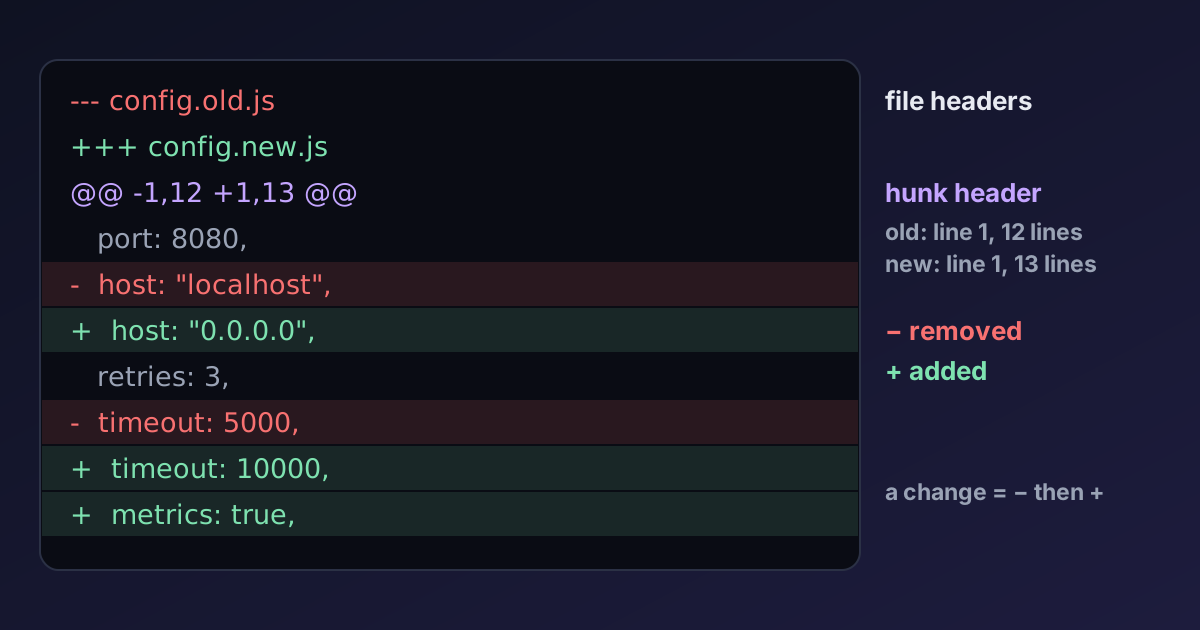
Reviewing large changes. When a generated JSON file changes in a pull request, the Git diff is often unreadable. Paste both versions into the JSON Diff to see the actual data changes. If you need to share the result, copy it as a unified diff; our guide on how to read a diff explains that format.
When you want the text comparison. Sometimes formatting is the change: you're reviewing a style update or checking that a formatter produced byte-identical output. Use the Text & Code Diff for that, optionally after running both sides through the JSON Formatter with the same settings.
Summary
Text diffs compare lines, so formatting and key order bury real changes in noise. A semantic JSON diff parses both documents, sorts keys, normalises formatting and only then compares, so you see changed values, added keys and removed keys. Remember that arrays are ordered, sort them when they're really sets, strip volatile fields such as timestamps, and be aware that languages disagree about whether 1 and 1.0 are the same.

Written by
Avinash Kori
Founder of Devtoolry
Avinash is a full-stack web developer from Surat, India, with eight years of experience in PHP, Laravel and Angular. He built Devtoolry so developers can solve everyday problems quickly with free tools that run entirely in the browser, and writes practical guides on the formats, encodings and techniques behind them.
Try it yourself
The free tools used in this article. They run in your browser, so nothing you paste is uploaded.
JSON Diff
Compare two JSON documents online, ignoring key order and formatting. Keys are normalised and sorted, so only real changes in values are highlighted.
Text & Code Diff
Compare two texts or code files online side by side. Additions, deletions and modified lines are highlighted with inline word changes. Runs in your browser.
JSON Formatter
Format and beautify JSON with configurable indentation and optional key sorting. Errors are reported with exact line and column.