How to Run Python Code Online (No Install, With Input)
Run Python code online in your browser: a first program, input() and stdin, reading many lines, which modules work, and how to read a Python traceback.
 By Avinash KoriPublished 5 min read
On this page
You can run Python code online without installing anything: open an online Python compiler, paste your code, type any input your program needs into the stdin box, and press Run. This guide walks through exactly that, from a first program to reading input, using the standard library and making sense of a traceback when something breaks.
Every example below was run in the online Python compiler, which runs Python 3.14 in your browser. The output shown is what it printed, with the runtime's own lines in tracebacks shortened to ....
Run your first Python program
Open the Python compiler, replace the sample with this code and press Run:
import sys

print("Hello, world!")
print(sys.version.split()[0])Hello, world!
3.14.2The second line is the Python version, which is worth checking whenever you copy code from a tutorial: features such as match statements need Python 3.10 or newer, and some older answers online still use Python 2 syntax like print "hi", which fails in Python 3.
The first run takes a few seconds longer than the rest because the browser downloads the Python runtime (about 10 MB) once and then caches it. After that, each run starts almost instantly.
Give your program input
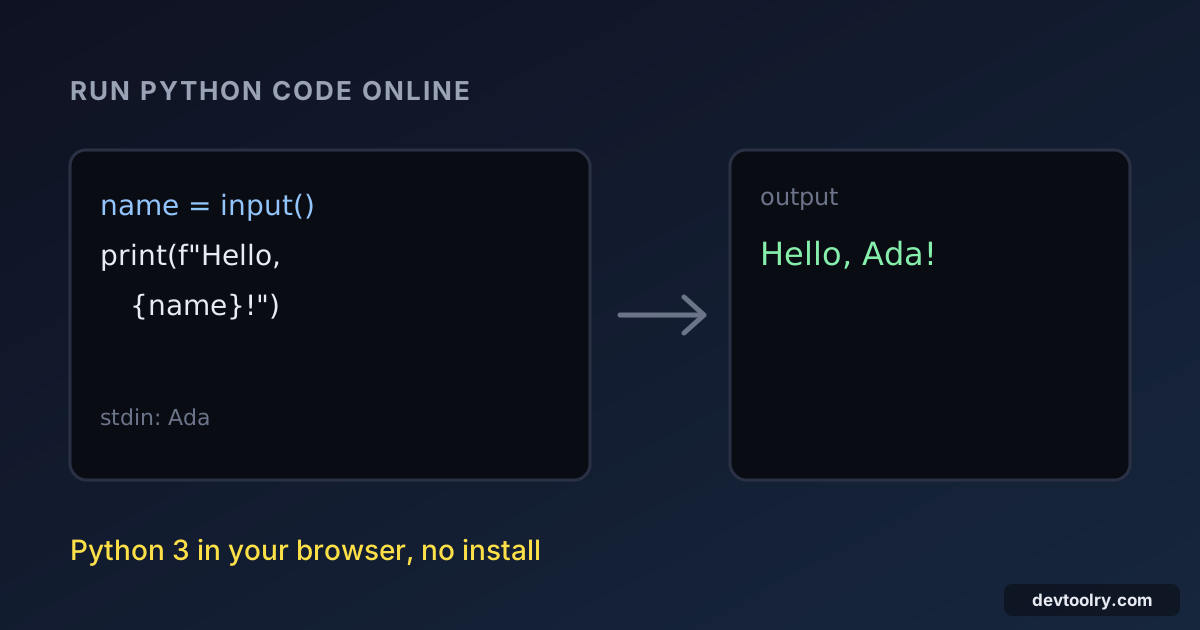
An online compiler can't stop halfway and wait for you to type, so Python's input() reads from the stdin box instead. Type every value your program will ask for before you press Run, one line per input() call.
name = input()
a, b = map(int, input().split())
print(f"Hi {name}, {a} + {b} = {a + b}")
With this in the stdin box:
Ada
3 4
the program prints:
Hi Ada, 3 + 4 = 7The first input() returns the first line, Ada. The second returns 3 4, which split() turns into two strings and map(int, ...) converts to numbers. This "one line per call" model is the same one used by online judges such as Codeforces and HackerRank, so a solution that works here reads its input the same way there.
If you pass a prompt, as in input("Your name: "), Python still prints it, but no one is typing at that moment, so it appears directly in front of the output: Your name: Hello, Ada. For code you run online, leave the prompt out.
Read many lines at once
When the input is a list of numbers or a block of text, calling input() in a loop gets awkward. Read the whole of standard input in one go with sys.stdin.read():
import sys

numbers = [int(line) for line in sys.stdin.read().split()]
print("count:", len(numbers))
print("total:", sum(numbers))
print("largest:", max(numbers))
With 12, 7, 30 and 5 on separate lines in the stdin box:
count: 4
total: 54
largest: 30
split() with no arguments splits on any whitespace, so the same code works whether the numbers are on one line or on many.
What happens when the stdin box is empty
This is the most common surprise. Run this with nothing in the stdin box:
first = input()
print(repr(first))
second = input()
print(repr(second))''
Traceback (most recent call last):
...
File "<exec>", line 3, in <module>
EOFError: EOF when reading a lineThe first input() gets an empty string, and the second finds no input left and raises EOFError. A program that converts its input with int(input()) fails even earlier, with ValueError: invalid literal for int() with base 10: ''. Both errors mean the same thing: the program asked for more input than you gave it. Fill the stdin box and run it again.
Use the standard library
Python's standard library is all there: json, re, math, datetime, collections, itertools, statistics, csv and the rest. That covers most exercises, interview questions and quick data checks:
from collections import Counter
import json
import statistics

scores = {"ana": 91, "ben": 78, "chen": 85, "dev": 91}
print("mean:", statistics.mean(scores.values()))
print("median:", statistics.median(scores.values()))
print("most common:", Counter(scores.values()).most_common(1))
print(json.dumps(scores, indent=2, sort_keys=True))mean: 86.25
median: 88.0
most common: [(91, 2)]
{
"ana": 91,
"ben": 78,
"chen": 85,
"dev": 91
}If your program prints a large JSON document on one line, paste the output into the JSON formatter to read it.
Third-party packages from PyPI are a different story. import numpy or import requests fails with ModuleNotFoundError, because only the standard library is available in this sandbox. For NumPy, pandas and plotting, use a notebook service such as Google Colab or install Python locally.
Read a Python traceback
When your code raises an exception, Python prints a traceback. Read it from the bottom up: the last line names the error, and the lines just above it show where it happened.
def average(values):
    return sum(values) / len(values)

print(average([4, 8, 15]))
print(average([]))9.0
Traceback (most recent call last):
...
File "<exec>", line 5, in <module>
File "<exec>", line 2, in average
ZeroDivisionError: division by zeroThe first call worked and printed 9.0. The second failed: line 5 called average, and line 2, inside average, divided by len(values), which was zero for an empty list. In the browser, your file is called <exec> instead of main.py, and the traceback starts with a few lines from the runtime itself (file names containing _pyodide). Skip those and look for <exec>: those lines are your code.
The errors beginners meet most often are IndentationError (mixed tabs and spaces, or a missing indent after a colon), NameError (a typo in a variable name), TypeError (adding a string to a number, often after forgetting int() around input()) and the input errors above.
To check a program against the output you expected, paste both into the diff checker: it highlights the exact characters that differ, including stray spaces at the end of a line.
What an online Python compiler is good for
Running Python in the browser is ideal for learning, testing a function, checking an exercise or trying a snippet from documentation. Because the code runs in a sandbox on your device, a few things differ from Python on your computer:
- Input comes from the stdin box, not from a live prompt.
- No files from your disk and no network. Paste data into the code or the stdin box.
- Standard library only. No pip installs.
- A time limit. A run that takes longer than a few seconds (5 seconds on the free plan) is stopped, which also catches accidental infinite loops.
Your code is never uploaded: the interpreter itself runs in your browser with WebAssembly. If you're curious how that works, running Python in the browser explains Pyodide and what makes it different from native CPython.
Learning more than one language? The same stdin model applies to the JavaScript compiler, and running C code online covers the equivalent steps for C, where input is read with scanf and fgets instead of input().

Written by
Avinash Kori
Founder of Devtoolry
Avinash is a full-stack web developer from Surat, India, with eight years of experience in PHP, Laravel and Angular. He built Devtoolry so developers can solve everyday problems quickly with free tools that run entirely in the browser, and writes practical guides on the formats, encodings and techniques behind them.
Try it yourself
The free tools used in this article. They run in your browser, so nothing you paste is uploaded.
Python Compiler
Run Python 3 code online with the full standard library and stdin input. It runs in your browser with Pyodide (WebAssembly), so your code stays on your device.
JSON Formatter
Format and beautify JSON with configurable indentation and optional key sorting. Errors are reported with exact line and column.
Text & Code Diff
Compare two texts or code files online side by side. Additions, deletions and modified lines are highlighted with inline word changes. Runs in your browser.