YAML Gotchas: The Norway Problem, Indentation and Other Traps
Why NO becomes false, ZIP codes turn into octal and comments cut passwords short in YAML, with tested examples and simple rules for writing safe YAML.
 By Avinash KoriPublished 5 min read
On this page
YAML is pleasant to write because it lets you leave things out: no brackets, no commas, and usually no quotes. The parser fills in the gaps by guessing. Most of the time it guesses right. When it doesn't, you get a bug that no linter warns about: a country code that turns into false, a ZIP code that turns into a different number, or a password that silently loses half its characters.
Every example below was run through two real parsers: PyYAML, which follows YAML 1.1 (as do many other tools), and js-yaml, which follows the YAML 1.2 core schema. The difference between those two versions explains most of the surprises.
Why YAML guesses types
In YAML, a value without quotes is a plain scalar. The parser compares it against a list of patterns: if it looks like a boolean, it becomes a boolean; if it looks like a number, it becomes a number; otherwise it is a string. YAML 1.1 (2005) had a long list of patterns. YAML 1.2 (2009) cut the list down to match JSON. Many popular libraries never switched, so the same file can mean different things depending on which program reads it.
The Norway problem
The best-known YAML bug has its own name. Imagine a list of country codes:
countries:
  - GB
  - DE
  - NO
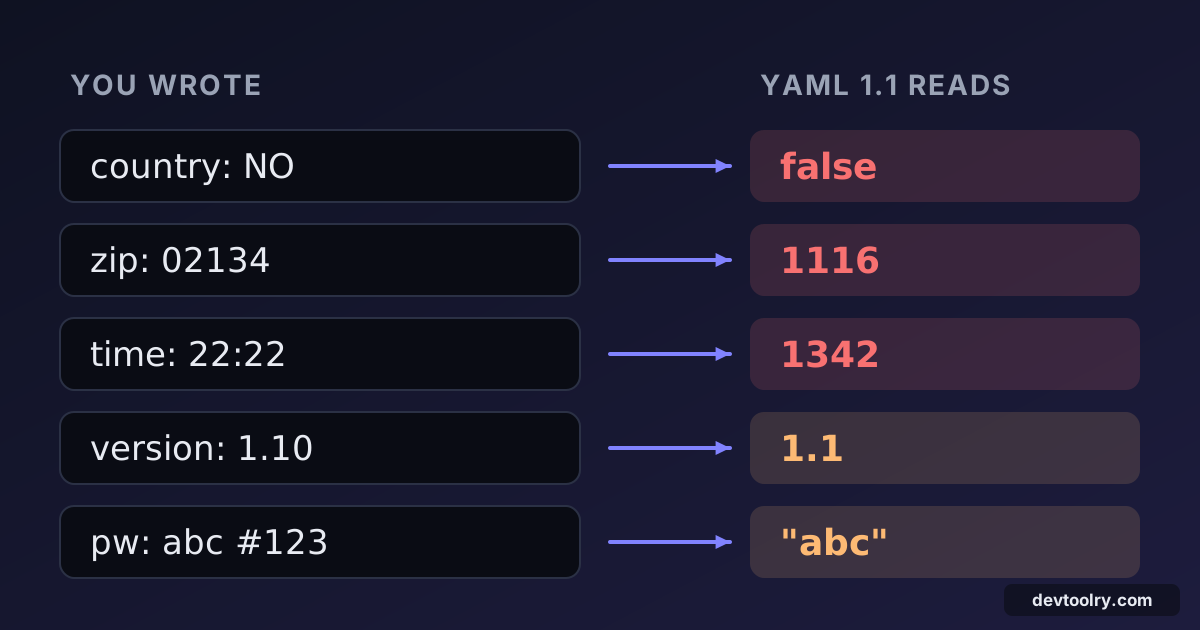
PyYAML reads the last item as False. YAML 1.1 treats yes, no, on and off (in several capitalisations) as booleans — the specification even lists y and n, although PyYAML leaves those two alone — so Norway's ISO code disappears. js-yaml, following YAML 1.2, keeps it as the string "NO", because 1.2 only recognises true and false.
The same rule turns feature flags into surprises:
enabled: on       # YAML 1.1: true      YAML 1.2: "on"
debug: off        # YAML 1.1: false     YAML 1.2: "off"
Fix: quote anything that is meant to be a string: - "NO". For real booleans, always write true or false, which every version agrees on.
Numbers that aren't what you wrote
Number guessing causes quieter bugs, because the result still looks like a reasonable value.
| You wrote | YAML 1.1 (PyYAML) | YAML 1.2 (js-yaml) |
|---|---|---|
zip: 02134 | 1116 (octal!) | 2134 |
mode: 0777 | 511 | 777 |
time: 22:22 | 1342 (base 60) | "22:22" |
version: 1.10 | 1.1 | 1.1 |
id: 012345678 | "012345678" | 12345678 |
A leading zero makes YAML 1.1 read the number as octal, so the ZIP code 02134 becomes 1116 — but 012345678 stays a string, because 8 is not an octal digit. YAML 1.2 drops the leading zero instead. Either way, your identifier is gone. Values with colons such as 22:22 were read as base-60 (sexagesimal) numbers in YAML 1.1, which is why port mappings in Docker Compose are always quoted ("8080:80").
version: 1.10 is a trap in every version: it is a float, so it becomes 1.1, and Python 3.10 turns into Python 3.1 in your CI matrix. A short Git commit hash like 5e2 is read as the number 500 by YAML 1.2 parsers.
Fix: quote version numbers, identifiers, codes, hashes and anything with a leading zero.
Comments that cut values short
A # starts a comment when it follows a space. Without the space it is part of the value:
password: abc#123     # parsed as "abc#123"
password: abc #123    # parsed as "abc"
The second line is valid YAML and parses without an error, but the password is now three characters long. The same thing happens with URLs that contain fragments and with colour values (color: #ff0000 parses as null, because the whole value is a comment).
Fix: quote any string that contains #.
Indentation that changes the meaning
Indentation errors in YAML don't always cause parse errors. Sometimes they produce a different, perfectly valid document. In this Docker Compose snippet, ports was meant to belong to web:
services:
  web:
    image: nginx
  ports:
    - "80:80"
Because ports is indented two spaces instead of four, it becomes a second service called ports. The file parses fine; the container just doesn't publish its port. Converting to JSON makes the structure obvious:
{
  "services": {
    "web": { "image": "nginx" },
    "ports": ["80:80"]
  }
}
That is the quickest way to check a suspicious file: paste it into YAML to JSON or the YAML Validator and look at the braces, which can't lie about nesting.
Two indentation rules do produce errors, at least:
- Tabs are not allowed for indentation. js-yaml reports
tab characters must not be used in indentation (2:1). Configure your editor to insert spaces in.yamlfiles. - Sibling keys must line up exactly. A key one space off gives
bad indentation of a mapping entrywith the line and column.
Colons inside values
A colon followed by a space separates a key from its value, so this fails:
title: Step 1: installjs-yaml reports bad indentation of a mapping entry (1:14), which is not very helpful. The fix is to quote the value: title: "Step 1: install". URLs like http://example.com:8080 are fine, because the colons are not followed by a space.
Multi-line strings: | versus >
YAML has two block styles, and they treat line breaks differently:
literal: |
  line one
  line two
folded: >
  line one
  line two
literal keeps the line breaks ("line one\nline two\n"), which is what you want for scripts and certificates. folded joins lines with spaces ("line one line two\n"), which suits long prose. Both keep one trailing newline by default; add a minus sign (|- or >-) to remove it. That trailing newline matters for things like secrets: a token read from | ends with \n, and some APIs reject it.
Anchors and merge keys
YAML lets you reuse a block with an anchor (&name) and an alias (*name). The << merge key, popular in CI files, comes from YAML 1.1:
defaults: &defaults
  image: node:22
  retries: 2
test:
  <<: *defaults
  retries: 5
PyYAML and GitLab CI merge defaults into test. js-yaml's core schema does not apply merge keys by default; it keeps << as an ordinary key. If your tooling mixes parsers, check the result rather than assuming the merge happened.
Duplicate keys
YAML forbids duplicate keys, but parsers disagree on enforcing it. js-yaml throws duplicated mapping key; PyYAML silently keeps the last value. In a long Kubernetes manifest, a second env: block can quietly replace the first. Validate files with a strict parser before deploying them.
Rules for writing safe YAML
- Quote strings that could look like something else: country codes,
yes/no/on/off, version numbers, IDs, ZIP codes, hashes, times and anything with#or:. - Use only
trueandfalsefor booleans, andnull(or nothing) for empty values. - Indent with spaces, two per level, and let a formatter keep it consistent. The YAML Formatter re-indents a file and reveals misplaced keys.
- Check the parsed result, not the text. Convert to JSON before deploying a change you're unsure about.
- Know your parser. If a value matters, find out whether your tool follows YAML 1.1 or 1.2.
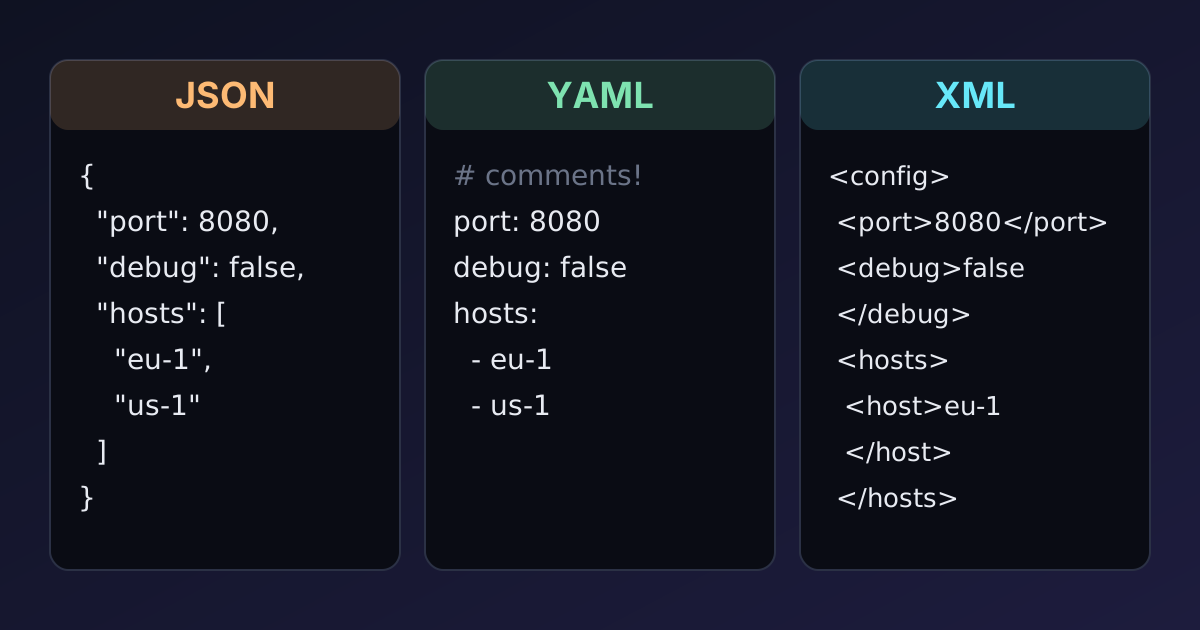
If these traps make you want a stricter format, our comparison of JSON, YAML and XML explains the trade-offs. For data that programs exchange, JSON avoids type guessing entirely.
Summary
YAML's convenience comes from guessing types, and the guesses differ between YAML 1.1 and 1.2. Quote anything that is meant to be a string, keep indentation consistent, watch for # and : in values, and always look at the parsed result before trusting a file in production.

Written by
Avinash Kori
Founder of Devtoolry
Avinash is a full-stack web developer from Surat, India, with eight years of experience in PHP, Laravel and Angular. He built Devtoolry so developers can solve everyday problems quickly with free tools that run entirely in the browser, and writes practical guides on the formats, encodings and techniques behind them.
Try it yourself
The free tools used in this article. They run in your browser, so nothing you paste is uploaded.
YAML Validator
Validate YAML syntax online, find errors by line, and see the parsed result as JSON. Check Kubernetes, Docker Compose and CI files before you deploy.
YAML to JSON
Convert YAML documents to formatted JSON online with syntax validation. Errors are reported by line, so broken indentation is quick to find and fix.
YAML Formatter
Format and normalise YAML online with consistent indentation using Prettier. Clean up Kubernetes, Docker Compose and CI config files in your browser.