Unicode and UTF-8 Explained: Why String Length Lies
Code points, UTF-8 bytes, UTF-16 code units and graphemes: why an emoji has length 2 in JavaScript, how mojibake happens, and how to count and compare text.
 By Avinash KoriPublished 5 min read
On this page
Ask JavaScript how long the string "🚀" is and it says 2. Ask Python and it says 1. Ask the database how many bytes it takes and the answer is 4. Ask a user and they say "one rocket". All four answers are correct, because "length" means different things at different layers of text.
Most string bugs in internationalised software come from mixing those layers: truncating in the middle of an emoji, comparing two strings that look identical but aren't, or reading UTF-8 bytes as the wrong encoding. This guide explains the layers with real examples, so you can choose the right one each time.
Layer 1: code points
Unicode assigns a number, called a code point, to every character in every writing system, plus symbols and emoji. Code points are written U+ followed by hex:
A   U+0041
é   U+00E9
€   U+20AC
🚀  U+1F680
There are over a million possible code points, and about 160,000 are assigned to characters. Unicode itself doesn't say how to store them as bytes. That's the job of an encoding.
Layer 2: UTF-8 bytes
UTF-8 is the encoding of the web, used by over 98% of websites. It stores each code point in one to four bytes:
| Code points | Bytes | Examples |
|---|---|---|
| U+0000 – U+007F | 1 | ASCII: A → 41 |
| U+0080 – U+07FF | 2 | é → C3 A9 |
| U+0800 – U+FFFF | 3 | € → E2 82 AC |
| U+10000 – U+10FFFF | 4 | 🚀 → F0 9F 9A 80 |
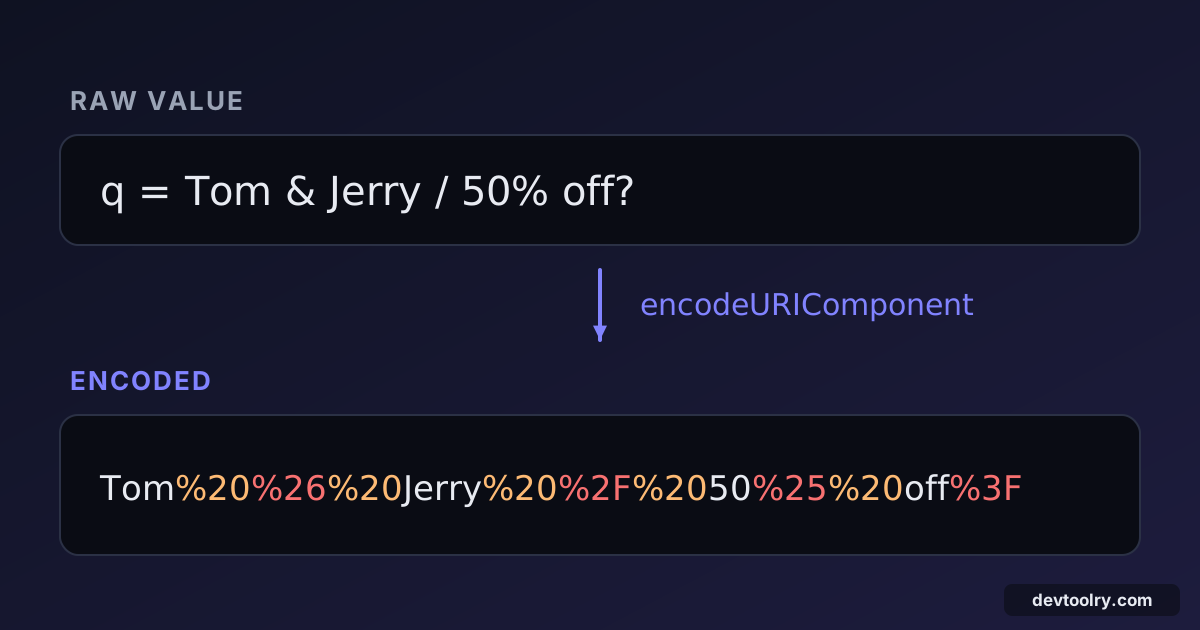
Its clever property is that ASCII text is unchanged: an English README is byte-for-byte the same in ASCII and UTF-8. The bytes in the table are also exactly what you see in percent-encoded URLs (%C3%A9), as explained in our guide to URL encoding.
Byte length matters whenever something has a byte limit: database columns, HTTP headers, SMS messages, file names, or a 255-byte field in an API.
Layer 3: UTF-16 code units (JavaScript, Java, C#)
JavaScript strings, like Java and C# strings, are sequences of 16-bit code units in UTF-16. Code points up to U+FFFF fit in one unit. Anything above, including most emoji, needs two units called a surrogate pair:
'🚀'.length;               // 2
'🚀'.charCodeAt(0).toString(16);  // "d83d" — half of a surrogate pair
'🚀'.codePointAt(0).toString(16); // "1f680"
'🚀' === '🚀'; // true.length, .slice(), .substring() and indexing all count code units. That's how you get a broken character:
'🚀'.slice(0, 1);                       // "\ud83d" — a lone surrogate, shown as �
'hello🚀'.split('').reverse().join(''); // "��olleh"
Iterating a string with for…of or the spread operator works on code points instead: [...'🚀'].length is 1. Python 3 strings are sequences of code points, so len('🚀') is 1 there.
Layer 4: graphemes — what users call characters
Even code points aren't what people see. A grapheme cluster is one user-perceived character, and it can contain several code points:
| Text | Graphemes | Code points | UTF-16 units (.length) | UTF-8 bytes |
|---|---|---|---|---|
café (precomposed é) | 4 | 4 | 4 | 5 |
café (e + combining accent) | 4 | 5 | 5 | 6 |
🚀 | 1 | 1 | 2 | 4 |
🇮🇳 (flag) | 1 | 2 | 4 | 8 |
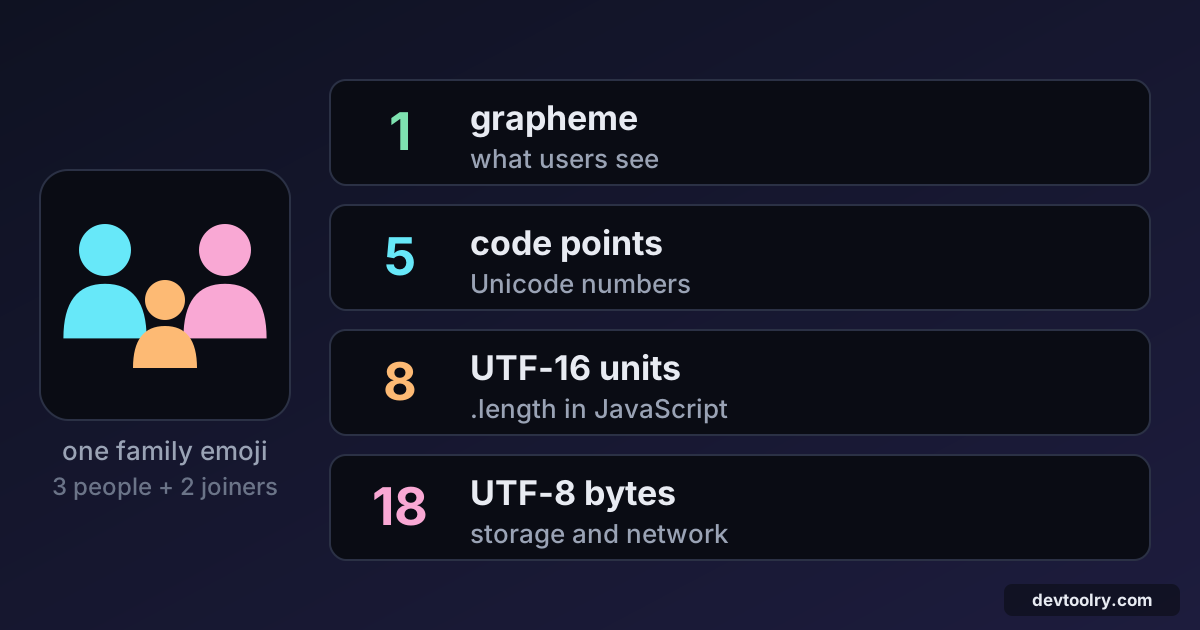
👨👩👧 (family) | 1 | 5 | 8 | 18 |
The flag is two "regional indicator" letters (I and N). The family emoji is three person emoji joined by two invisible zero-width joiners. To count graphemes in JavaScript, use Intl.Segmenter:
const graphemes = (text) => [...new Intl.Segmenter('en', { granularity: 'grapheme' }).segment(text)].length;
graphemes('👨👩👧'); // 1
'👨👩👧'.length; // 8Use graphemes for anything shown to users: character counters, "max 20 characters" limits on names, truncation with an ellipsis, cursor movement. The Word & Character Counter is a quick way to see how different counts compare for a piece of text.
Same text, different code points: normalisation
The two café rows above look identical, but they are different strings:
const precomposed = 'café';   // é as one code point
const decomposed = 'café';   // e + COMBINING ACUTE ACCENT

precomposed === decomposed;                    // false
precomposed === decomposed.normalize('NFC');   // true
Text typed on one system, pasted from a PDF, or coming from macOS file names (which historically used the decomposed form) may use either. Without normalisation, a search for "café" misses half the matches, a uniqueness check lets "duplicate" usernames through, and the same file name appears twice.
Normalise to NFC when you store or compare text. For usernames and identifiers, many systems also apply case folding and the stricter NFKC form, which maps look-alike compatibility characters (like the fi ligature) to their plain equivalents.
Mojibake: decoding with the wrong encoding
When UTF-8 bytes are read as a single-byte encoding such as Windows-1252 or Latin-1, every multi-byte character turns into two or three wrong ones. This garbage has a name: mojibake.
café   saved as UTF-8 bytes   63 61 66 C3 A9
read as Windows-1252          café
C3 is à and A9 is © in Windows-1252. If you see é, ’ (a curly apostrophe) or € (a euro sign), you're looking at UTF-8 decoded as Windows-1252. Common causes:
- A database connection that doesn't specify UTF-8 (in MySQL, set the connection charset to
utf8mb4). - An HTTP response without
charset=utf-8in itsContent-Type. - A CSV opened in Excel, which may guess the wrong encoding. Our JSON to CSV guide covers that case.
The fix is to declare UTF-8 everywhere: files, HTML (<meta charset="utf-8">), HTTP headers, database columns and connections. Once text has been decoded wrongly and saved, recovering it means re-encoding the garbage with the wrong encoding and decoding it correctly, which only works if no information was lost.
MySQL warning: MySQL's old utf8 charset stores at most 3 bytes per character, so it can't store emoji at all. Always use utf8mb4.
Escape sequences: writing any character in ASCII
When a file or protocol must stay ASCII, characters are written as escapes. JSON and JavaScript use \u followed by four hex digits of a UTF-16 unit, so emoji need two escapes or the newer brace syntax:
'é'        // "é"
'🚀'  // "🚀" (surrogate pair, valid in JSON too)
'\u{1F680}'     // "🚀" (JavaScript only, not JSON)
The Unicode Escape tool converts text to escapes and back, including emoji. It's also useful for seeing invisible characters: zero-width spaces, non-breaking spaces and byte order marks become visible , and escapes. Those invisible characters are a classic cause of baffling errors, as our list of JSON syntax errors shows.
Practical rules
- Use UTF-8 everywhere, and say so explicitly in headers, files and database connections.
- Decide which length you need: bytes for storage limits, graphemes for anything a user sees, code units only when an API demands it.
- Never cut strings with
.slice()for display. Segment into graphemes first, or you'll split emoji and accented letters. - Normalise to NFC before storing, comparing or hashing text.
- Recognise mojibake (
é,’) as an encoding mismatch, not corrupted data.
Summary
Text has four layers: graphemes (what users see), code points (Unicode's numbers), code units (how JavaScript, Java and C# store strings) and bytes (how UTF-8 stores text). "🚀".length is 2 because JavaScript counts UTF-16 units. Pick the layer that matches the job, normalise before comparing, and declare UTF-8 at every boundary to avoid mojibake.

Written by
Avinash Kori
Founder of Devtoolry
Avinash is a full-stack web developer from Surat, India, with eight years of experience in PHP, Laravel and Angular. He built Devtoolry so developers can solve everyday problems quickly with free tools that run entirely in the browser, and writes practical guides on the formats, encodings and techniques behind them.
Try it yourself
The free tools used in this article. They run in your browser, so nothing you paste is uploaded.
Unicode Escape / Unescape
Convert text to \uXXXX Unicode escape sequences and back online, including emoji and astral characters. Handy for JavaScript, JSON and Java strings.
Text to Hex
Convert text to hexadecimal bytes and hex back to text online. Choose spaces, commas or 0x prefixes and upper or lower case. UTF-8 and emoji are supported.
Word & Character Counter
Count words, characters, lines, sentences and bytes online, with estimated reading time. Check essays, posts and meta descriptions against length limits.
URL Encode / Decode
URL encode or decode text online: percent-encode query string values and full URLs, or turn %20-style escapes back into readable text.