MD5 vs SHA-1 vs SHA-256: Choosing the Right Hash Function
What hash functions do, why MD5 and SHA-1 are broken for security, when SHA-256 is right, why passwords need bcrypt or Argon2, and how HMAC signs messages.
 By Avinash KoriPublished 5 min read
On this page
Hash functions are one of the building blocks you use every day without thinking about them: Git identifies commits by hash, package managers verify downloads with them, APIs sign webhooks with them and databases store passwords with them. But "hash" covers very different tools, and picking the wrong one, like MD5 for passwords, is a mistake that ends up in breach reports.
This guide explains what a cryptographic hash guarantees, compares MD5, SHA-1 and SHA-256 with real outputs, and shows which tool to use for checksums, signatures and passwords.
What a hash function does
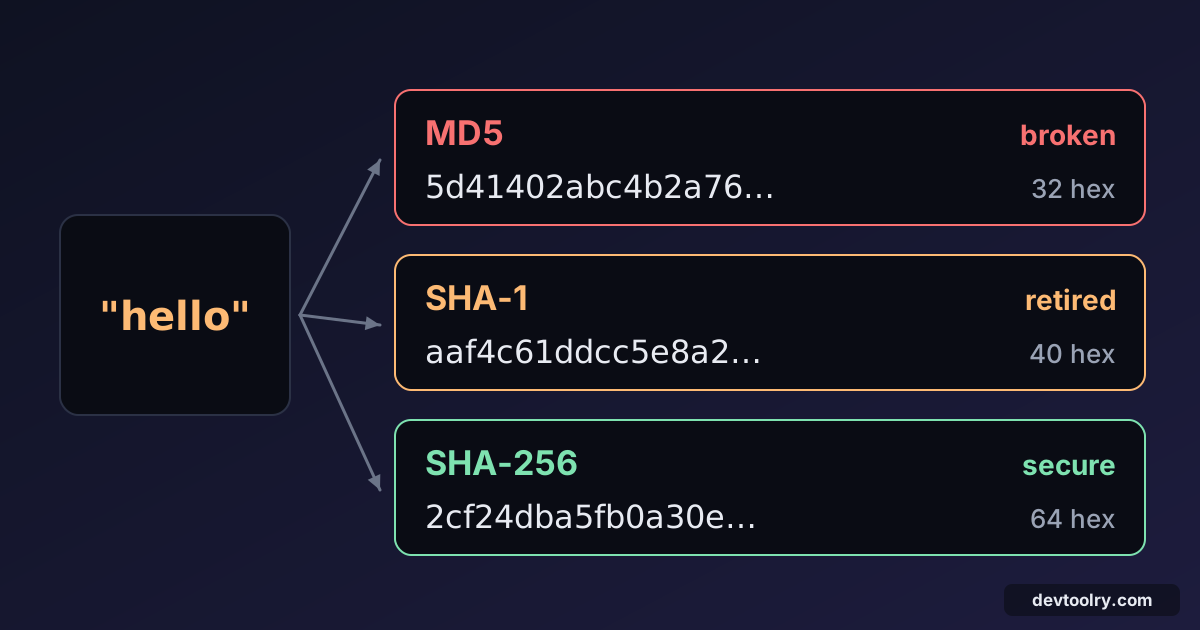
A hash function takes input of any size and produces a fixed-size output called a digest. Here's the word hello through three common algorithms:
MD5      5d41402abc4b2a76b9719d911017c592
SHA-1    aaf4c61ddcc5e8a2dabede0f3b482cd9aea9434d
SHA-256  2cf24dba5fb0a30e26e83b2ac5b9e29e1b161e5c1fa7425e73043362938b9824
MD5 produces 128 bits (32 hex characters), SHA-1 160 bits (40) and SHA-256 256 bits (64). You can reproduce these in the Hash Generator, which computes all of them in your browser.
Change one letter and the digest changes completely. Hello with a capital H gives a SHA-256 of 185f8db3…, with no resemblance to the one above. This avalanche effect is what makes hashes useful for detecting changes.
A cryptographic hash promises three things:
- Preimage resistance. Given a digest, you can't find an input that produces it.
- Second-preimage resistance. Given an input, you can't find a different input with the same digest.
- Collision resistance. You can't find any two inputs with the same digest.
Hashing is one-way. It's not encryption: there's no key and no way to "decrypt" a digest. Websites that "reverse" MD5 hashes are just looking them up in huge tables of precomputed hashes of common inputs.
MD5: broken, but still everywhere
MD5 (1992) was the standard for years. In 2004 researchers showed practical collisions, and by 2008 they used MD5 collisions to forge a trusted certificate authority certificate. Today, two different files with the same MD5 can be generated on a laptop in seconds.
That means MD5 must not be used where an attacker could benefit from a collision: digital signatures, certificates, or verifying that a download from an untrusted mirror hasn't been tampered with.
MD5 is still fine as a fast non-security checksum: detecting accidental corruption, cache keys, deduplicating files you created yourself, or legacy systems that require it (some storage APIs still report MD5 ETags). If nobody is trying to fool you, a collision is astronomically unlikely by accident.
SHA-1: retired
SHA-1 (1995) lasted longer, but in 2017 Google and CWI Amsterdam published SHAttered, the first real SHA-1 collision: two different PDF files with the same digest. Later attacks made chosen-prefix collisions affordable. Browsers stopped accepting SHA-1 certificates, and Git has been moving to SHA-256 (it already uses a hardened SHA-1 variant that detects known collision attacks).
Treat SHA-1 like MD5: acceptable for non-adversarial checksums and compatibility, not for anything security-related.
SHA-256 and the SHA-2 family
SHA-256 is part of SHA-2 (2001), alongside SHA-384 and SHA-512. No practical attack on SHA-2 is known, and it's the default choice for:
- File integrity: verifying downloads against a published checksum (
sha256sum file.iso). - Digital signatures and certificates: TLS certificates are signed with SHA-256.
- Content addressing: Docker image digests (
sha256:…), Subresource Integrity hashes in<script integrity>. - HMAC-SHA256 for API and webhook signatures (see below).
SHA-512 is just as secure and can even be faster on 64-bit CPUs. SHA-3 is a newer, structurally different alternative, useful if you want a backup in case SHA-2 is ever weakened, but SHA-256 remains the safe default.
Never hash passwords with SHA-256 alone
This surprises many developers: SHA-256 is a great hash and a terrible password hash. It was designed to be fast, and fast is exactly wrong for passwords. A single modern GPU computes billions of SHA-256 hashes per second, so an attacker who steals a database of unsalted SHA-256 password hashes can test every common password, and every short one, very quickly.
Password hashing needs two extra properties:
- A unique salt per password, so identical passwords produce different hashes and precomputed tables are useless.
- Deliberate slowness (and ideally memory usage), so each guess costs the attacker real time.
Use a purpose-built algorithm: Argon2id (the current recommendation), scrypt or bcrypt. They handle salting for you and have a tunable cost:
# pip install argon2-cffi
from argon2 import PasswordHasher

ph = PasswordHasher()
stored = ph.hash("correct horse battery staple")   # "$argon2id$v=19$m=65536,t=3,p=4$..."
ph.verify(stored, "correct horse battery staple")  # True, or raises VerifyMismatchError
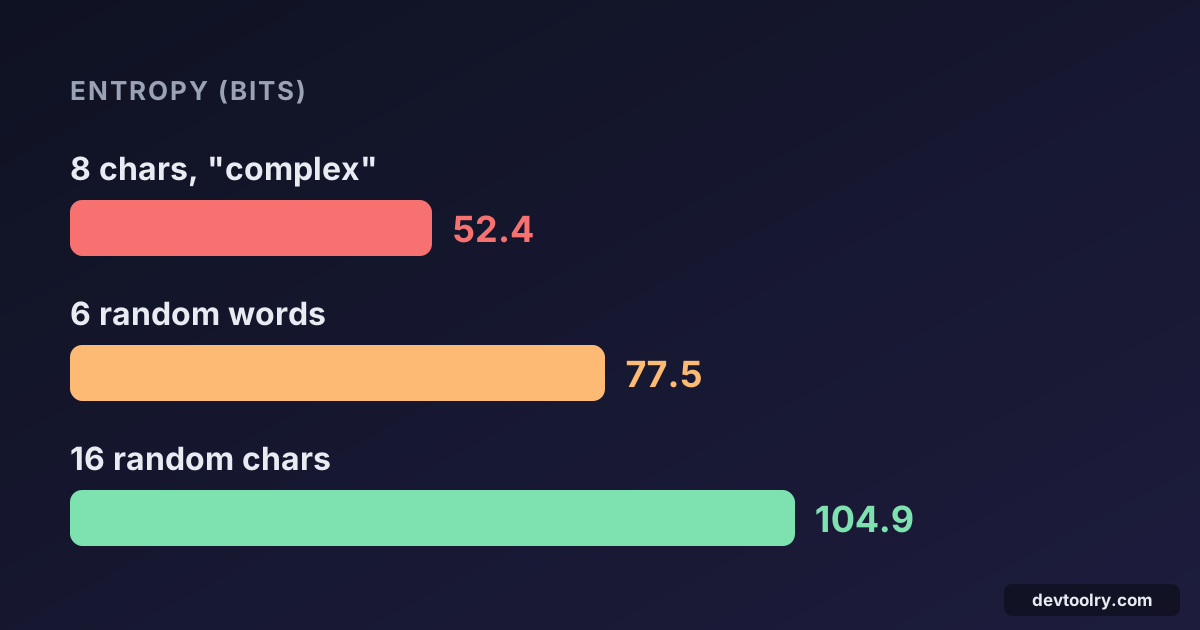
In Node.js, crypto.scrypt is built in, and libraries like argon2 and bcrypt are widely used. A strong hash also can't save a weak password, which is why length matters; our guide to password entropy explains how to measure strength, and the Password Generator creates strong ones.
HMAC: hashing with a key
A plain hash proves data hasn't changed if you trust where the hash came from. When a webhook arrives at your server, you need to know it was sent by the provider, not by an attacker who computed a matching hash. That's what an HMAC (hash-based message authentication code) does: it mixes a secret key into the hash.
import { createHmac, timingSafeEqual } from 'node:crypto';

const body = '{"amount":100}';
const signature = createHmac('sha256', 'secret-key').update(body).digest('hex');
// f1fe0fefa1b0acf13d0d5c03aa0a362b53402911436ff2b8784f20fe65230c16
The receiver computes the same HMAC with its copy of the secret and compares the result using a constant-time comparison (timingSafeEqual). Stripe, GitHub and Slack all sign webhooks this way, and HS256 JWTs are HMAC-SHA256 signatures (see JWT explained).
Why not just hash secret + message? Because SHA-256 and SHA-1 are vulnerable to length-extension attacks: given SHA256(secret + message), an attacker can compute a valid hash for secret + message + extra without knowing the secret. HMAC's construction prevents this. Always use HMAC for keyed hashing.
The secret should be long and random. Generate one with the Random String Generator (32 bytes as hex or Base64URL is plenty).
A common mistake: hashing the wrong bytes
When your hash doesn't match the one you expect, the algorithm is rarely the problem. The input is:
printf 'hello' | sha256sum   # 2cf24dba5fb0a30e...  (correct)
echo hello | sha256sum       # 5891b5b522d5df08...  (includes a trailing newline)
echo adds a newline, which changes the digest completely. Other usual suspects: Windows line endings (\r\n), a byte order mark, different Unicode normalisation (é as one or two code points), or hashing pretty-printed JSON on one side and minified JSON on the other. For signatures over JSON, sign the exact raw bytes you received, not a re-serialised version.
Which hash should you use?
| Job | Use | Avoid |
|---|---|---|
| Storing passwords | Argon2id, scrypt, bcrypt | MD5, SHA-1, plain SHA-256 |
| Signing webhooks and API requests | HMAC-SHA256 | SHA256(secret + data) |
| Verifying downloads, signatures, certificates | SHA-256 or SHA-512 | MD5, SHA-1 |
| Non-security checksums, cache keys | Any; MD5 is fine and fast | — |
| Random tokens and IDs | A secure random generator, not a hash | Hashing timestamps or counters |
Summary
A cryptographic hash turns any input into a fixed-size fingerprint that changes completely when the input changes. MD5 and SHA-1 have practical collision attacks, so keep them for non-security checksums. Use SHA-256 for integrity and signatures, HMAC-SHA256 for anything keyed, and a slow, salted algorithm like Argon2id for passwords. When digests don't match, check the exact bytes before blaming the algorithm.

Written by
Avinash Kori
Founder of Devtoolry
Avinash is a full-stack web developer from Surat, India, with eight years of experience in PHP, Laravel and Angular. He built Devtoolry so developers can solve everyday problems quickly with free tools that run entirely in the browser, and writes practical guides on the formats, encodings and techniques behind them.
Try it yourself
The free tools used in this article. They run in your browser, so nothing you paste is uploaded.
Hash Generator
Generate MD5, SHA-1, SHA-256, SHA-384 and SHA-512 hashes and HMACs of any text online. Hashing runs in your browser, so the input never leaves your device.
Password Generator
Generate strong, random passwords online with your browser's cryptographically secure generator. Choose length and character sets; check the strength meter.
Random String Generator
Generate random strings, tokens and API keys online in hex, Base64URL or a custom alphabet, using your browser's cryptographically secure generator.