How to Compile and Run C Code Online (No Install, With Input)
Compile and run C code online in your browser: a first program, reading stdin input, choosing a C standard from C89 to C23, and fixing common errors.
 By Avinash KoriPublished 4 min read
On this page
You don't need to install a compiler to write C. If you're learning the language, testing a snippet from a textbook or checking how a standard library function behaves, an online compiler runs your code in seconds. This guide shows how to compile and run C code online, how to feed it input, how to pick the language standard, and how to read the errors you'll meet first.
The examples below were compiled and run with GCC 11 using -std=c17 and also work in the online C compiler, which uses Clang. Paste any of them in and press Run.
Run your first C program
Open the C compiler, replace the code with this program and press Run:
#include <stdio.h>

int main(void) {
    printf("Hello, world!\n");
    return 0;
}
The output panel shows:
Hello, world!Three parts matter in every C program:
#include <stdio.h>pulls in the declarations forprintf,scanfand the other standard input and output functions.int main(void)is the entry point. The program starts here and ends whenmainreturns.return 0;tells the operating system the program succeeded. Any other value signals an error.
The \n at the end of the string is a newline. Without it, the output of the next printf runs onto the same line.
Read input from the keyboard
Programs that ask questions need stdin, the standard input stream. An online compiler can't pop up a terminal prompt mid-run, so you type the input into the stdin box before you press Run. Each line you type is what the program receives when it calls scanf, fgets or getchar.
This program reads two integers and prints their sum:
#include <stdio.h>

int main(void) {
    int a, b;
    if (scanf("%d %d", &a, &b) != 2) {
        fprintf(stderr, "expected two integers\n");
        return 1;
    }
    printf("sum = %d\n", a + b);
    return 0;
}
Type 3 4 into the stdin box and run it:
sum = 7Type x instead and the program prints expected two integers to the error stream and exits with status 1. Always check the return value of scanf: it returns how many items it read, and ignoring that number is the most common cause of programs that print garbage when the input is wrong. For fgets, line-based input and the pitfalls of mixing scanf with getchar, see reading input in C and C++.
Choose the C standard
C has been revised several times, and some code only compiles in newer or older versions. The compiler lets you pick the standard, from C89 (also called ANSI C) up to C23:
| Standard | Typical use |
|---|---|
| C89 / C90 | Old textbooks and exam questions. Variables must be declared at the top of a block, and // comments are not part of the standard. |
| C99 | Adds // comments, declarations anywhere, for (int i = 0; ...) and <stdbool.h>. |
| C11 / C17 | The long-standing default for modern code. C17 is a bug-fix release of C11. |
| C23 | The newest standard. Adds bool, true and false as keywords, nullptr, constexpr and binary literals like 0b1010. |
If a loop such as for (int i = 0; i < n; i++) fails with an error about loop declarations (GCC says "'for' loop initial declarations are only allowed in C99 or C11 mode"), you've selected C89. Switch to C99 or later. This program uses a loop-scoped variable, so it needs C99 or newer:
#include <stdio.h>

int main(void) {
    int n = 5;
    for (int i = 1; i <= n; i++) {
        for (int j = 0; j < i; j++) putchar('*');
        putchar('\n');
    }
    return 0;
}*
**
***
****
*****Read the compiler errors
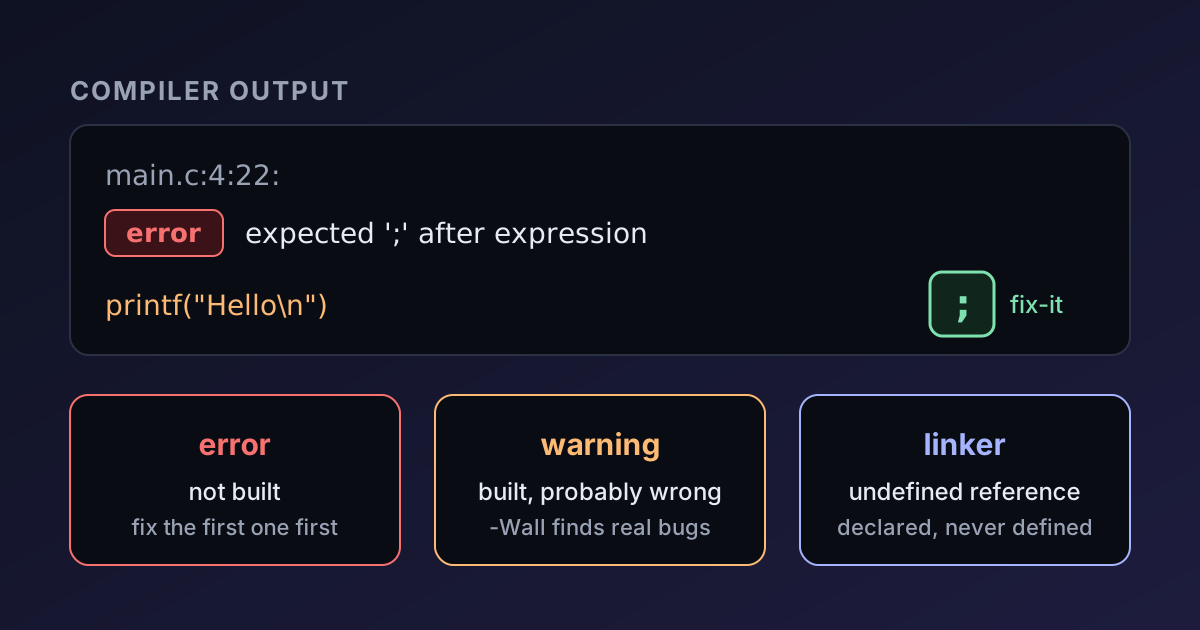
Compiler messages follow a pattern: file, line, column, severity, description. Take this program, which is missing a semicolon:
#include <stdio.h>

int main(void) {
    printf("Hello, world!\n")
    return 0;
}
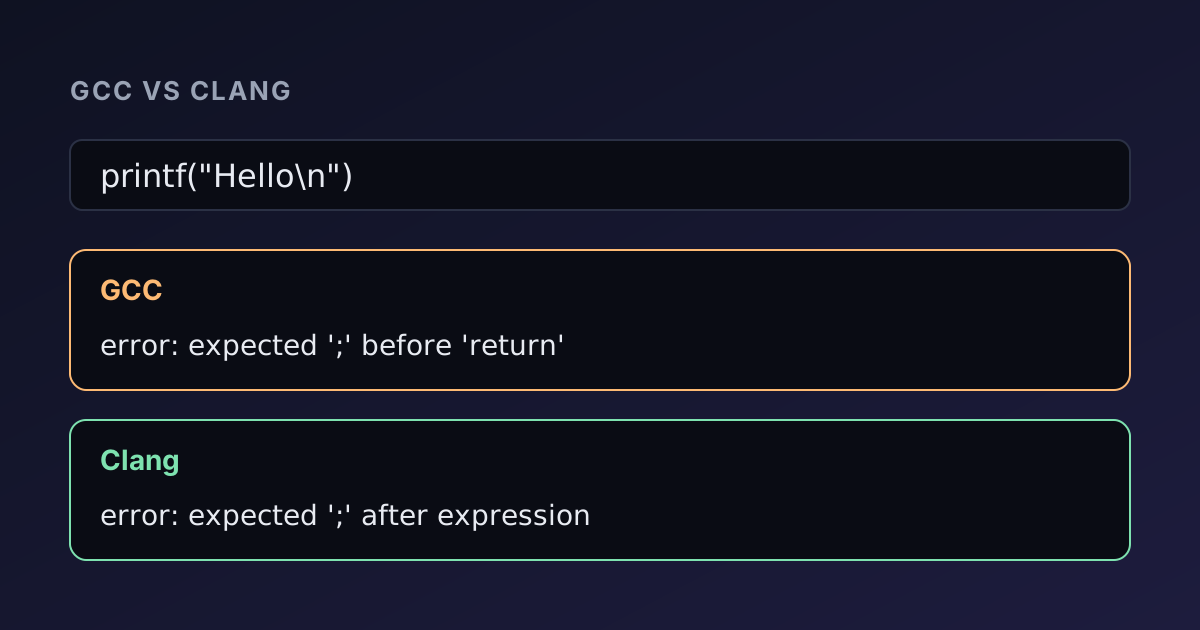
GCC reports:
c.c: In function ‘main’:
c.c:4:30: error: expected ‘;’ before ‘return’
Two details to remember. First, the line number points at where the compiler noticed the problem, which is often the line after the real mistake: here the fix belongs at the end of line 4, but the compiler complains about the return that follows it. Second, one error can trigger a cascade of others, so fix the first message and recompile before chasing the rest. The full catalogue of messages you'll meet, such as undefined references and implicit declarations, is in C compiler errors explained.
Warnings are worth reading
A program can compile and still be wrong. Warnings catch many of those cases: an uninitialised variable, a format string that doesn't match its argument, a comparison between signed and unsigned values. Treat a warning as a bug report until you've proved it harmless. On your own machine you'd add -Wall -Wextra to the command; in the browser, read whatever the compiler prints alongside your output.
What an online compiler can and can't do
An online compiler is ideal for small programs, experiments and learning. Because the code runs in a sandbox, a few things behave differently from your desktop:
- No interactive prompts. All stdin must be supplied up front.
- No files from your disk. Programs can use the standard I/O streams, but they can't read your documents.
- No long-running or graphical programs. A program that waits for a key press or opens a window won't work.
- Limited resources. A program that runs forever or uses huge amounts of memory will be stopped by the browser.
On Devtoolry, the compiler runs entirely in your browser, so your code is not sent to a server. It uses Clang, which accepts the same C as GCC for everyday programs. If you're deciding which compiler to use locally, GCC vs Clang compares their error messages, warnings and speed.
Where to go next
Once you can run a program, the topics that trip up most beginners are strings and pointers. Both are covered with runnable examples: strings in C explains char arrays and the null terminator, and C pointers explained covers addresses, arrays and double pointers. Paste each example into the C compiler, change a line, and watch what breaks. That is the fastest way to learn the language.

Written by
Avinash Kori
Founder of Devtoolry
Avinash is a full-stack web developer from Surat, India, with eight years of experience in PHP, Laravel and Angular. He built Devtoolry so developers can solve everyday problems quickly with free tools that run entirely in the browser, and writes practical guides on the formats, encodings and techniques behind them.
Try it yourself
The free tools used in this article. They run in your browser, so nothing you paste is uploaded.
C Compiler
Compile and run C code online with Clang 21, a GCC-compatible compiler: pick C89 (ANSI C), C99, C11, C17 or C23 and add stdin input. Your code stays private.
C++ Compiler
Run C++ code online for free: compile C++20 with Clang 21 and libc++, type stdin input and see the output. It runs in your browser, so your code stays private.