robots.txt Examples: Disallow Rules for Every Common Case
Copy-ready robots.txt examples: allow all, block a folder, WordPress, search pages, PDFs and AI bots, plus how Disallow matching works and the common mistakes.
 By Avinash KoriPublished 5 min read
On this page
A robots.txt file is short, public and easy to get wrong. One misplaced slash can hide a whole section from Google, and a rule with a full URL quietly does nothing. This post collects the robots.txt examples people actually need, explains exactly what each Disallow line matches, and lists the mistakes we see most often.
Every example below was run through our Robots.txt Checker in Paste mode on 9 November 2026: no syntax errors, and the blocked and allowed paths are the ones the checker reports. Paste your own file there to test it the same way before you upload it.
How a robots.txt file is read
The file lives at the root of each host: https://example.com/robots.txt. A file in a subfolder is ignored, and blog.example.com needs its own. It is made of groups. Each group starts with one or more User-agent lines and is followed by Allow and Disallow rules:
User-agent: *
Disallow: /admin/

Sitemap: https://example.com/sitemap.xml
Three rules decide what a crawler does:
- A crawler follows one group only: the one whose
User-agentmatches it most specifically. If there is aUser-agent: Googlebotgroup, Googlebot ignores the*group completely. - A rule matches from the start of the path.
Disallow: /adminblocks/admin,/admin/and also/administrator. - The longest matching rule wins. If an
Allowand aDisallowboth match, the longer (more specific) path decides. On a tie,Allowwins.
Sitemap lines sit outside the groups and apply to every crawler. Google's own description of these rules is in How Google interprets the robots.txt specification.
Copy-ready robots.txt examples
Replace example.com with your own domain in each one.
Allow everything
The right file for most public sites. An empty Disallow blocks nothing:
User-agent: *
Disallow:

Sitemap: https://example.com/sitemap.xml
Having no robots.txt at all (a 404) has the same effect, but the file is still worth it for the Sitemap line.
Disallow all crawlers
For a staging copy or a site that is not ready yet:
User-agent: *
Disallow: /
This stops crawling, not indexing. If other sites link to a blocked page, Google can still list the URL without a description. To keep a staging site out of search, put it behind a password; to remove a public page, allow crawling and add a noindex robots meta tag, as our HTML meta tags guide explains.
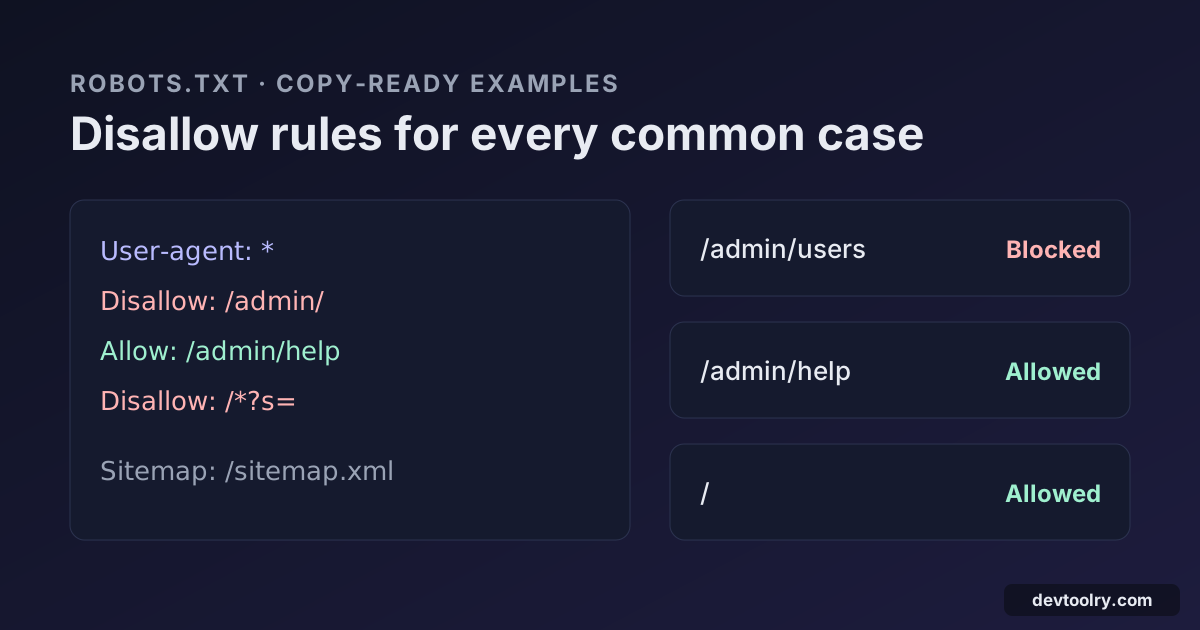
Block one folder, with an exception
User-agent: *
Disallow: /admin/
Allow: /admin/help

Sitemap: https://example.com/sitemap.xml
/admin/users is blocked, while /admin/help is allowed because the Allow rule is longer than the Disallow rule. Note the trailing slash: Disallow: /admin/ does not block the page /admin itself.
WordPress
WordPress serves this virtual file when there is no real one (the Sitemap line points to the core sitemap added in WordPress 5.5):
User-agent: *
Disallow: /wp-admin/
Allow: /wp-admin/admin-ajax.php

Sitemap: https://example.com/wp-sitemap.xml
It is a good file as it is. Do not add Disallow: /wp-includes/ or /wp-content/: themes and plugins load their CSS and JavaScript from there, and Google needs those files to render the page. If an SEO plugin creates its own sitemap, point the Sitemap line at that one instead.
Block internal search and filter URLs
Search results and sort or filter parameters create endless near-duplicate URLs that waste crawl time:
User-agent: *
Disallow: /search
Disallow: /*?s=
Disallow: /*?*sort=
* matches any characters, so /*?s= blocks /?s=shoes and /blog/?s=shoes, and /*?*sort= blocks any URL whose query string contains sort=. Be careful: Disallow: /search also blocks /searching-for-a-job, because rules match prefixes.
Block a file type
User-agent: *
Disallow: /*.pdf$
$ anchors the end of the URL, so /files/report.pdf is blocked but /report.pdf?download=1 is not, and neither is /report.PDF: paths are case-sensitive.
Block AI training crawlers, keep AI search
AI companies run separate bots for training and for search. This file blocks the main training crawlers while search engines and AI search bots (OAI-SearchBot, PerplexityBot and others) stay allowed:
User-agent: *
Disallow:

User-agent: GPTBot
User-agent: ClaudeBot
User-agent: CCBot
User-agent: Google-Extended
Disallow: /

Sitemap: https://example.com/sitemap.xml
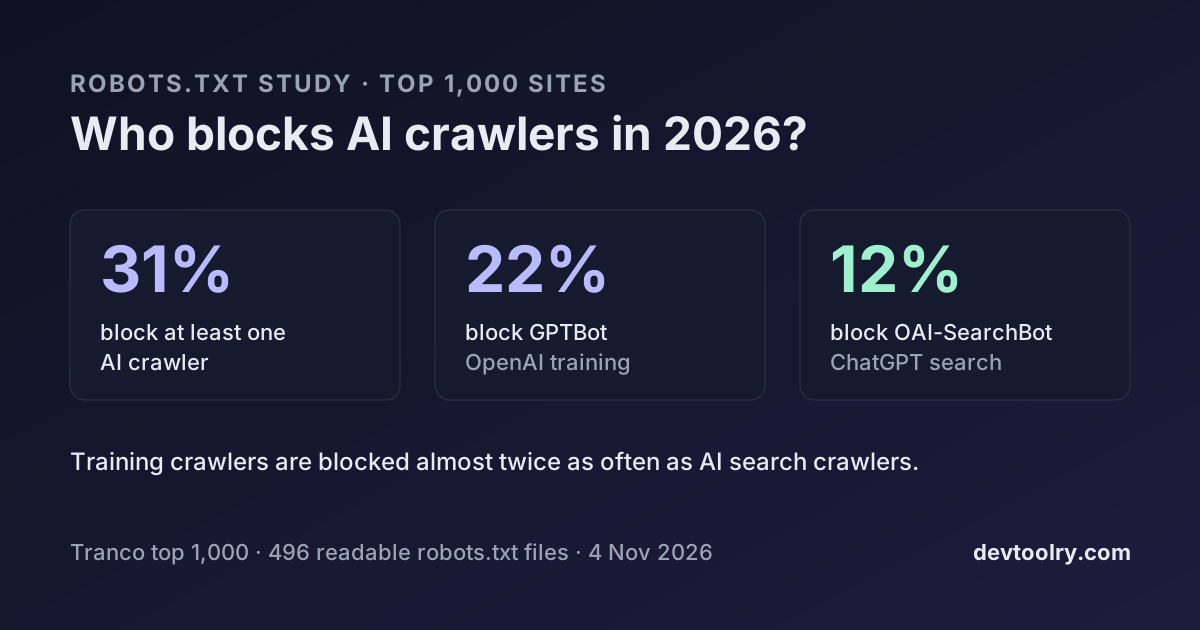
Several User-agent lines in a row share one group. Our study of the top 1,000 sites found this "block training, allow search" policy is the most common among sites that block AI crawlers at all. The AI Crawler Checker lists what each token does.
Different rules for one crawler
User-agent: *
Disallow: /private/

User-agent: Googlebot
Disallow: /private/
Disallow: /print/
Because Googlebot follows only its own group, /private/ has to be repeated there. Leave it out and Googlebot may crawl /private/ even though every other crawler is blocked.
What a Disallow rule matches
| Rule | Blocks | Does not block |
|---|---|---|
Disallow: / | every URL | nothing |
Disallow: (empty) | nothing | every URL |
Disallow: /admin | /admin, /admin/, /admin.html, /administrator | /Admin, /blog/admin |
Disallow: /admin/ | /admin/, /admin/users | /admin |
Disallow: /*.pdf$ | /files/a.pdf | /a.pdf?download=1, /a.PDF |
Disallow: /*? | /shop?sort=price | /shop |
Disallow: /$ | / (home page only) | /index.html and every other page |
Disallow: /private* is the same as Disallow: /private: a trailing * adds nothing.
Common robots.txt mistakes
- Full URLs in rules.
Disallow: https://example.com/admin/matches nothing. Rules take a path that starts with/. - Blocking CSS and JavaScript. Rules like
Disallow: /assets/or/_next/can make pages look empty to Google, which renders them like a browser. noindexin robots.txt. Google stopped supporting it in September 2019. Use the robots meta tag or theX-Robots-Tagheader.- Expecting
Crawl-delayto slow Google. Googlebot ignores it. Bing and some other crawlers read it. - Hiding secrets. robots.txt is public. Listing
/secret-admin/advertises the path; protect it with a login. - Serving an HTML page. Some servers answer
/robots.txtwith the home page or a 404 template and status 200. Crawlers find no rules in it. - A server error. If robots.txt returns a 5xx status, Google treats the whole site as blocked until the file answers normally again.
Where to edit robots.txt on Wix and Shopify
On Wix, open SEO in the site dashboard, then the Robots.txt Editor under Tools and settings. On Shopify, go to Online Store, Themes, Edit code, and add the robots template (robots.txt.liquid); Shopify recommends adding rules with Liquid so its defaults keep updating. On other hosts, upload a plain text file named robots.txt to the web root.
Test before and after you upload
Google retired the Search Console robots.txt Tester in 2023. Its robots.txt report shows the file Google last fetched, but it cannot test a draft or a single URL. A quick routine that covers both:
- Build the file by hand from the examples above, or with the Robots.txt Generator.
- Paste it into the Robots.txt Checker and test your important URLs for Googlebot and Bingbot.
- Upload it, then run the checker again in Live site mode to confirm the server returns status 200 and plain text.
A robots.txt that passes those checks rarely needs attention again until your site structure changes.

Written by
Avinash Kori
Founder of Devtoolry
Avinash is a full-stack web developer from Surat, India, with eight years of experience in PHP, Laravel and Angular. He built Devtoolry so developers can solve everyday problems quickly with free tools that run entirely in the browser, and writes practical guides on the formats, encodings and techniques behind them.
Connect on LinkedInTry it yourself
The free tools used in this article. They run in your browser, so nothing you paste is uploaded.
Robots.txt Checker
Validate a live or pasted robots.txt the way Google reads it: syntax errors, blocked pages and resources, sitemaps, 21 search and AI crawlers, and a URL tester.
Robots.txt Generator
Create a robots.txt file with rules per crawler, sitemap links and presets for WordPress or blocking AI bots, then test any URL against it in your browser.
AI Crawler Checker
Check which AI crawlers a site allows: GPTBot, ClaudeBot, PerplexityBot, Google-Extended and 12 more, split into AI training, AI search and search engines.