How to Write a Resume in 2026: A Step-by-Step Guide with Examples
How to write a resume step by step: choose a format, write a summary, turn duties into results, pick skills and keywords, and check it for ATS. With examples.
 By Avinash KoriPublished 6 min read
On this page
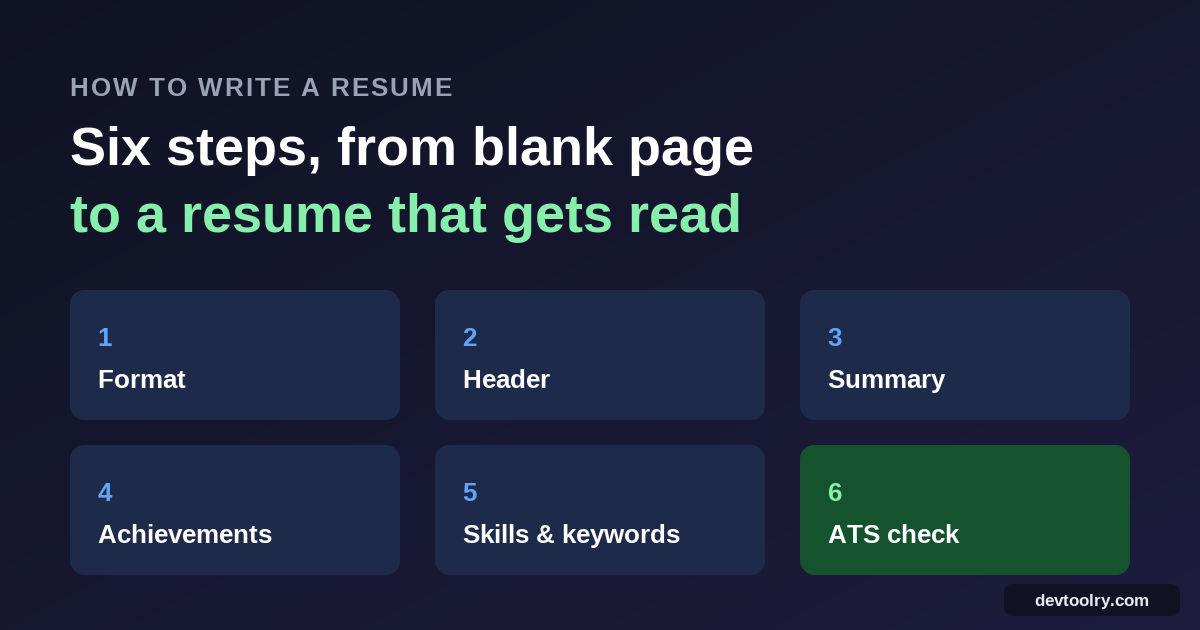
To write a resume, pick a clean one-column format, put your name and contacts at the top, write a two or three line summary for the job you want, list your experience with one achievement per bullet, add the skills and keywords from the job post, and check the result for ATS problems and length before you send it as a PDF.
This guide goes through those steps in order, with before-and-after examples. You can write as you read in the free Resume Builder: it starts with a complete example resume, so you replace text rather than face a blank page.
Step 1: Choose a format that both software and people can read
Most employers receive applications through an applicant tracking system (ATS), which converts your resume to text before a recruiter sees it. Parsers handle one column, standard headings and real text well. They struggle with two-column designs, text inside images, tables and decorative skill bars.
Use the reverse-chronological format for almost every job: your most recent role first, then earlier ones. Recruiters expect it, and it shows your progress at a glance. Skills-first ("functional") formats hide dates and are often read as hiding something.
Keep it to one page if you have less than about eight to ten years of experience, and two pages if you have more relevant work than fits. Use a readable font at 10 to 12 points and margins of at least half an inch.
Step 2: Write the header
The header holds your name and the details a recruiter needs to call you:
- Name, larger than everything else
- A headline with your target role, such as "Data Analyst · SQL, Python & Power BI"
- City and country or state (a full address is not needed)
- A professional email and a phone number with the country code
- LinkedIn, and GitHub or a portfolio if your work is visible online
In most countries you should leave out a photo, date of birth and marital status. Some employers in India, the Middle East and parts of Europe still ask for them, so follow the job post.
Step 3: Write a summary in two or three lines
The summary tells the reader who you are professionally before they read the details. A good one names your role, years of experience, main skills and one strength:
Software engineer with 5 years of experience designing REST and gRPC services in Java and Go. Ships features end to end, from schema design to deployment on AWS, and mentors newer engineers through code review.
Compare that with a generic line:
Hard-working and motivated professional seeking a challenging role in a dynamic company.
The first is specific, searchable and true for only one kind of person. The second could be anyone's, so it is skipped. Avoid "I" and "my"; resumes are written in an implied first person.
Step 4: Turn duties into achievements
This is the step that changes how a resume reads. Most first drafts list duties: what the job was. Strong resumes list achievements: what changed because you did it.
Use this pattern for each bullet: action verb + what you did + result with a number.
| Duty (weak) | Achievement (strong) |
|---|---|
| Responsible for social media | Grew Instagram followers from 12,000 to 95,000 in 18 months with a weekly content calendar |
| Worked on the checkout page | Redesigned checkout with the UX team, raising conversion by 9% |
| Handled customer calls | Resolved 60 calls a day with a 92% first-contact resolution rate |
| Helped with month-end close | Cut the month-end close from 9 to 5 days by standardising journal entries |
Numbers do not have to be revenue. Time saved, error rates, people trained, tickets resolved, students taught and projects delivered all work. If you do not know the exact figure, a careful estimate ("about 30 a week") is fine, as long as you can explain it in an interview.
Write three to five bullets for recent jobs and one or two for older ones. Keep each bullet to one or two lines, and vary the opening verbs: Led, Built, Reduced, Launched, Analysed, Negotiated.
Step 5: Add skills and the right keywords
Recruiters search an ATS the way you search the web: by keywords. Those keywords come straight from the job post. Read it and note the tools, methods and qualifications it names, then use the ones you really have in two places:
- In your Skills section, grouped by type (for example Languages, Tools, Methods).
- In a bullet that shows you using the skill. "Built Power BI dashboards that saved 30 hours a week" proves more than "Power BI" in a list.
Spell skills the way the post does. If it says "Microsoft Excel", do not write only "spreadsheets". Leave out skills you could not discuss in an interview.
You can see how this looks for a specific job in our resume examples by role: each one lists the keywords recruiters search for in that role, from software engineer to registered nurse.
Step 6: Education, certifications and the rest
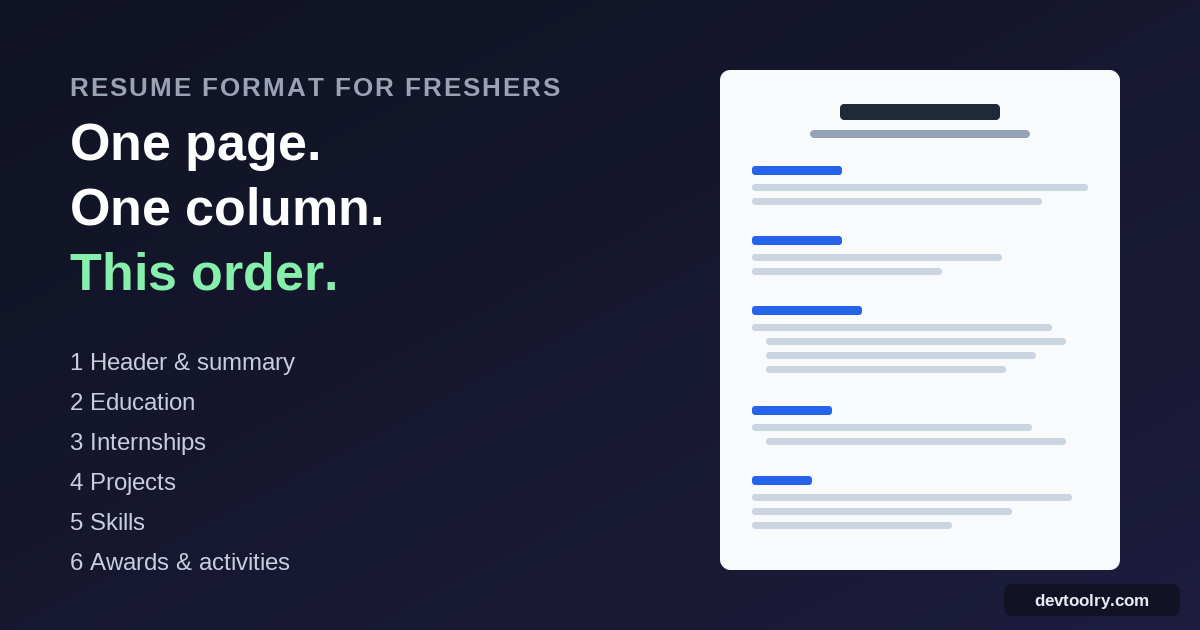
Add your education with the degree, institution and years. Include your GPA only if it is strong and you graduated recently. Recent graduates and freshers should put education above experience; the resume format for freshers explains that order in detail.
Then add the sections that help your case:
- Certifications with the issuer and year (AWS, PMP, CPA, nursing licenses).
- Projects, especially for technical roles or career changers.
- Languages with your level.
- Awards and volunteering if they are recent or relevant.
Leave out "References available on request", objective statements and hobbies that do not show a skill.
Step 7: Check it before you send it
Run through this checklist:
- ATS check. Upload the resume to the ATS Resume Checker. It scores it out of 100 and flags missing sections, weak phrases, long bullets, placeholders and, with a job description pasted in, missing keywords.
- Length. One page for most people. The builder shows the page count live and suggests cuts.
- Consistency. The same date format everywhere, the same tense (past for old jobs, present for your current one), and no typos.
- File. Save as PDF with a clear name such as "Jane-Smith-Resume.pdf". Never send a photo or scan of your resume: an ATS cannot read it.
If the application asks for a cover letter, draft it from the same resume with the Cover Letter Generator, then edit it for the company.
Tailor it for each application
You do not need a new resume for every job, but you should adjust it. Keep one complete master version, then for each application:
- Change the headline and summary to match the job title.
- Move the most relevant job bullets and projects to the top.
- Add any keywords from the post that you have but left out.
The builder keeps as many versions as you want in your browser. Duplicate your resume, rename it after the job and edit the copy. Nothing is uploaded, and there is no account to create.
Common questions
How long should a resume be? One page for most people with under eight to ten years of experience; two pages for longer careers with relevant work. Three pages is rarely needed outside academic CVs.
Is a resume the same as a CV? In the US and Canada a resume is a one to two page summary and a CV is a longer academic record. In the UK, Ireland, India and much of Europe, "CV" usually means what Americans call a resume.
Should I use a template? Yes, if it is simple. A clean template saves time and keeps spacing consistent. Pick a one-column design with real text, like the 29 free templates in the Resume Builder.

Written by
Avinash Kori
Founder of Devtoolry
Avinash is a full-stack web developer from Surat, India, with eight years of experience in PHP, Laravel and Angular. He built Devtoolry so developers can solve everyday problems quickly with free tools that run entirely in the browser, and writes practical guides on the formats, encodings and techniques behind them.
Connect on LinkedInTry it yourself
The free tools used in this article. They run in your browser, so nothing you paste is uploaded.
Resume Builder
Build a resume free: upload your old one or start fresh, 29 ATS-friendly templates, live page count and ATS score. Download PDF or Word, no sign-up, no limits.
ATS Resume Checker
Check your resume free: a score out of 100 from 25+ ATS and recruiter checks, plus the keywords a job description wants that you are missing. Never uploaded.
Cover Letter Generator
Write a cover letter that matches your resume: a first draft from your own experience, fresher and career-change styles, same design. PDF or Word, free.