Resume Format for Freshers: The One-Page Layout That Gets Interviews
The best resume format for freshers: section order, what to write in each part, a one-page example, and what to leave out. With a free ATS-friendly builder.
 By Avinash KoriPublished 6 min read
On this page
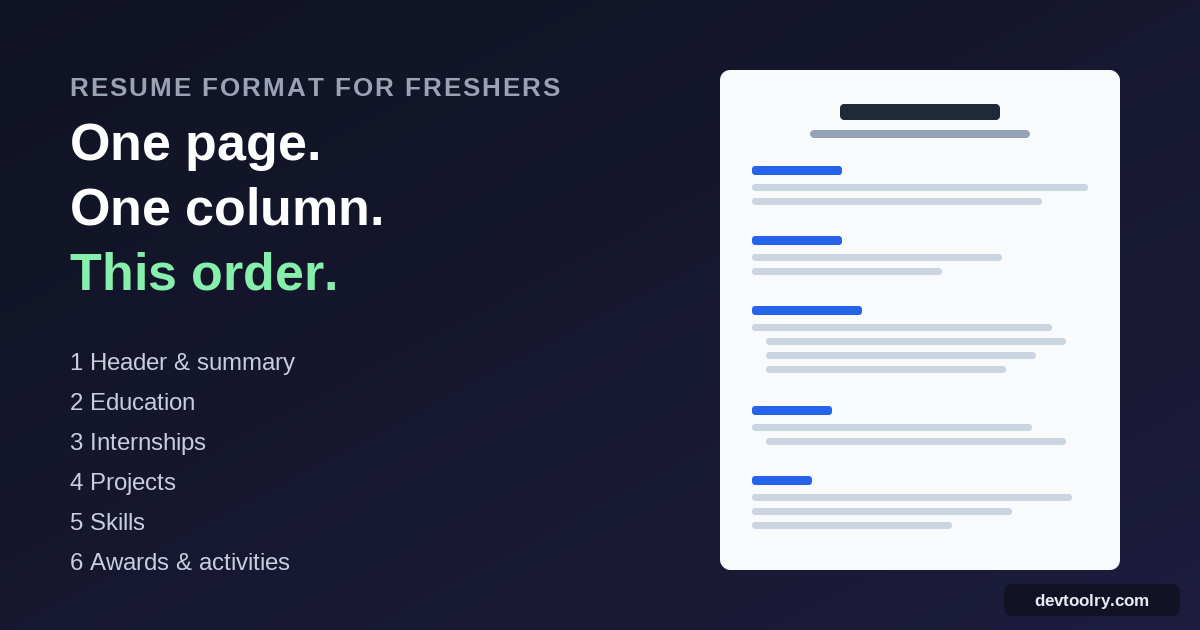
The best resume format for freshers is a one-page, single-column layout with the sections in this order: header, a two-line summary, education, internships, projects, skills, and awards or activities. If an internship or a project is your strongest proof of skill, move it above education. Leave out a photo, date of birth and hobbies unless the job post or your country expects them.
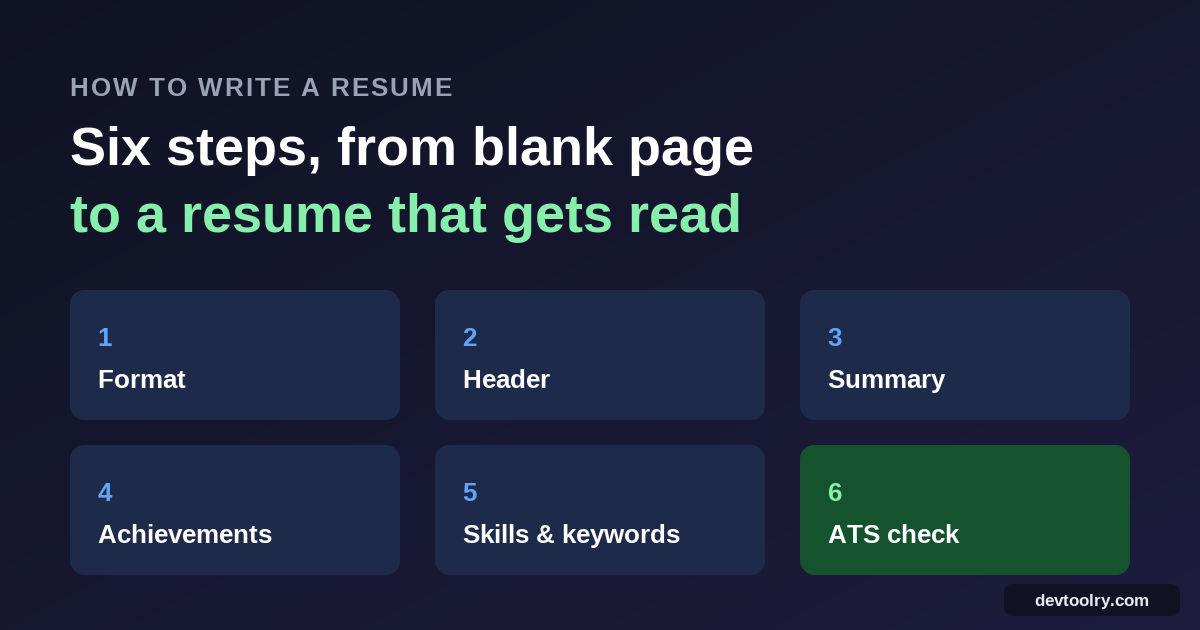
That is the whole answer. The rest of this guide explains why this order works, what to write in each section when you have little or no work experience, and how to check the result before you apply. You can follow along in the free Resume Builder, which starts with a complete example and shows a live one-page count as you type.
Why one page and one column
A fresher resume is read twice: first by software, then by a person.
Most medium and large employers collect applications in an applicant tracking system (ATS). The ATS turns your PDF into plain text and files it into fields such as name, education and skills. Parsers read single-column layouts reliably. Two-column designs, text boxes, tables and skill bars often come out in the wrong order or not at all, and a recruiter searching for "Python" or "accounting" may never see you.
Then a recruiter skims what the ATS shows. With dozens of fresher applications for one opening, they look for three things quickly: your degree, what you have built or done, and the skills the job asks for. One page puts all three on the first screen. Two pages for a fresher usually means padding, and padding hides the good parts.
The fresher resume format, section by section
Here is the structure as an outline. Each part is explained below.
NAME
Degree or target role · City · Email · Phone · LinkedIn · GitHub/portfolio

SUMMARY
Two lines: degree, main skills, the role you want

EDUCATION
Degree, college, years, GPA/CGPA (if good), relevant coursework

INTERNSHIPS / EXPERIENCE
Title · Company · Dates
- Achievement with a number
- Achievement with a number

PROJECTS
Name · What it is · Tools · Link
- What you built and the result

SKILLS
Grouped: languages, tools, methods

AWARDS & ACTIVITIES
Hackathons, competitions, scholarships, clubs
Header
Your name in large text, then one line of contacts: city, a professional email, phone number with the country code, and your LinkedIn profile. Add GitHub or a portfolio if you are applying for technical or design roles. A full street address is not needed.
Use an email based on your name. "firstname.lastname@" reads far better than a nickname from school.
Summary
Two lines, specific to the job. Name your degree, two or three real skills and the kind of role you want:
Recent B.Com graduate with an internship in accounts payable and hands-on GST filing practice. Comfortable with Tally, Excel and bank reconciliations, looking for a junior accountant role.
Avoid lines any applicant could write, such as "hard-working team player seeking a challenging opportunity". They take space and say nothing a recruiter can check.
Education
For freshers, education usually comes before experience. Write the degree, college, location and years. Add your GPA or CGPA if it helps you (many employers treat 7.0/10 or 3.0/4.0 and above as a positive), and one line of relevant coursework.
Once you have a degree, leave out school marks unless an employer asks for them. Some campus placement forms in India do; in that case add Class 10 and 12 as single short lines under the degree.
Internships and part-time work
Treat every internship like a full-time job. Start each bullet with an action verb, say what you did and add a number wherever you can:
- Analysed 200,000 appointment records in SQL to find the main causes of missed visits
- Built a dashboard that three teams now use every week
- Answered 40 customer emails a day during the festive sale with a 95% satisfaction score
Part-time jobs count too. Retail, tutoring and delivery work show reliability, communication and handling pressure, which every employer values.
Projects
Projects are where freshers prove skills that their job history cannot. For each one, give the name, one line about what it is, the tools and a link if it is public. Then one or two bullets with a result: users, speed, accuracy, a grade or a prize.
Two or three strong projects beat eight tutorial copies. If you built something with classmates, say so and describe your own part.
Skills
Group skills so they are quick to scan, for example Languages, Tools and Methods. List only what you could discuss in an interview tomorrow, and use the same spelling as the job post ("Power BI", not "PowerBI"). That spelling is what an ATS search matches.
Awards and activities
Hackathons, competitions, scholarships, published papers and leadership roles in clubs show initiative. Keep each to one line with the year. This section often gives interviewers their first question, so include things you enjoy talking about.
What to leave out
- Photo, date of birth, marital status, religion. Not expected in the US, UK, Canada or Australia, and many multinational employers prefer you leave them out. Some employers in India, the Middle East and parts of Europe still ask; follow the job post.
- "References available on request." It is assumed.
- Hobbies that say nothing. "Reading and music" adds no information. A hobby with a result ("Run a 2,000-member photography club") can stay under activities.
- Fancy layouts. Skill bars, icons for every line and multiple columns look good in a template gallery but often break ATS parsing.
- A declaration. Some fresher templates end with "I hereby declare that the above information is true". It is still common in some Indian formats but not needed for private-sector and international applications.
A complete fresher example
The fresher resume example shows this format filled in for a computer science graduate with two internships and two projects. It fits on one page and scores 100/100 in our checker. There are also resume examples for 40 roles, including data analyst, teacher, nurse and internship resumes, which help if you are a fresher in another field.
Open any example in the builder, replace the details with your own, and keep the structure.
Check it before you apply
Before sending your resume, run three checks:
- ATS check. Paste or upload your resume in the ATS Resume Checker. It reports missing sections, weak bullets, unfilled placeholders and, if you paste the job description, the keywords you have not used.
- One page. The builder's page box tells you when you run over and suggests what to shorten first.
- PDF, not a photo. Download as PDF from the builder. The text stays selectable, which is what ATS parsers need. Never send a screenshot or a scanned image of your resume.
If the job asks for a cover letter, the Cover Letter Generator drafts one from the same resume, with a style for freshers that leads with your projects and education.
Common questions from freshers
Should a fresher resume be one page? Yes. Almost every fresher can fit their education, internships, projects and skills on one page. Use the space for results, not for long descriptions.
Is a two-column resume bad? Not for people reading it, but it is riskier for ATS parsing. A single column is the safe choice when you apply online.
Can I use the same resume for every job? Keep one master version, then make a copy for each type of role and reorder skills and projects to match the job post. The builder keeps as many copies as you like, in your browser only.
PDF or Word? PDF, unless the employer asks for Word. A PDF looks the same on every screen.
Everything above works in the free Resume Builder: no account, no download limit, and your resume is never uploaded or made public.

Written by
Avinash Kori
Founder of Devtoolry
Avinash is a full-stack web developer from Surat, India, with eight years of experience in PHP, Laravel and Angular. He built Devtoolry so developers can solve everyday problems quickly with free tools that run entirely in the browser, and writes practical guides on the formats, encodings and techniques behind them.
Connect on LinkedInTry it yourself
The free tools used in this article. They run in your browser, so nothing you paste is uploaded.
Resume Builder
Build a resume free: upload your old one or start fresh, 29 ATS-friendly templates, live page count and ATS score. Download PDF or Word, no sign-up, no limits.
ATS Resume Checker
Check your resume free: a score out of 100 from 25+ ATS and recruiter checks, plus the keywords a job description wants that you are missing. Never uploaded.
Cover Letter Generator
Write a cover letter that matches your resume: a first draft from your own experience, fresher and career-change styles, same design. PDF or Word, free.