How to Check If Your Android App Supports 16 KB Page Sizes
What Android's 16 KB memory pages are, which apps must change before Google Play's deadline, and four ways to check an APK or AAB, with fixes.
 By Avinash KoriPublished 6 min read
On this page
Google Play now warns many Android developers that their app doesn't support 16 KB memory page sizes, and from 1 February 2027 updates without that support can't be released. The warning is confusing because nothing in your Kotlin or Java code mentions page sizes. The problem lives in the native libraries (.so files) inside the app, often ones that came with a game engine or an SDK.
This guide explains what changed, which apps are affected, four ways to check an APK or App Bundle, and how to fix each kind of library.
What changed: 4 KB and 16 KB memory pages
The operating system hands memory to apps in fixed-size blocks called pages. Android has always used 4 KB pages. Since Android 15, devices can use 16 KB pages instead, and Google says the bigger pages make phones measurably faster: in its tests, apps launched 3.16% faster on average under memory pressure (up to 30% for some apps), power use during app launch dropped 4.56%, camera cold starts were 6.6% faster and the system booted about 8% (roughly 950 ms) faster.
The catch is in how native code is loaded. A compiled .so library is made of segments that the system maps into memory page by page. Each segment's start must line up with a page boundary. A library linked for 4 KB pages has its segments aligned to 4 KB, which is not a multiple of 16 KB, so on a 16 KB device it can't be mapped and the app crashes when it loads the library.
Which apps are affected
Your app needs to change only if it contains native code:
- Affected: apps that use the NDK or any C or C++ code, apps built with game engines such as Unity, Unreal or Godot, frameworks that ship native engines (Flutter, React Native), and apps that include an SDK with native libraries (some ad, analytics, video, database and crypto SDKs do).
- Not affected: apps written only in Kotlin or Java whose libraries are also pure Kotlin or Java.
The quick way to tell is to look inside the APK or bundle: if there is a lib/ folder with .so files (in a bundle, base/lib/), the requirement applies. Google's rule covers 64-bit devices, so the libraries that matter are those in arm64-v8a and x86_64.
Method 1: check the APK or AAB in your browser
The fastest check needs no tools installed. Open the Play Store Readiness Checker and drop the .aab you are about to upload, or an .apk. It reads the ELF header of every 64-bit library and reports each one whose load segments are aligned to less than 16 KB, plus uncompressed libraries in an APK that don't start on a 16 KB boundary in the ZIP file. Only the first bytes of each library are read, so even a game with 100 MB libraries is checked in a second, and the file never leaves your browser.
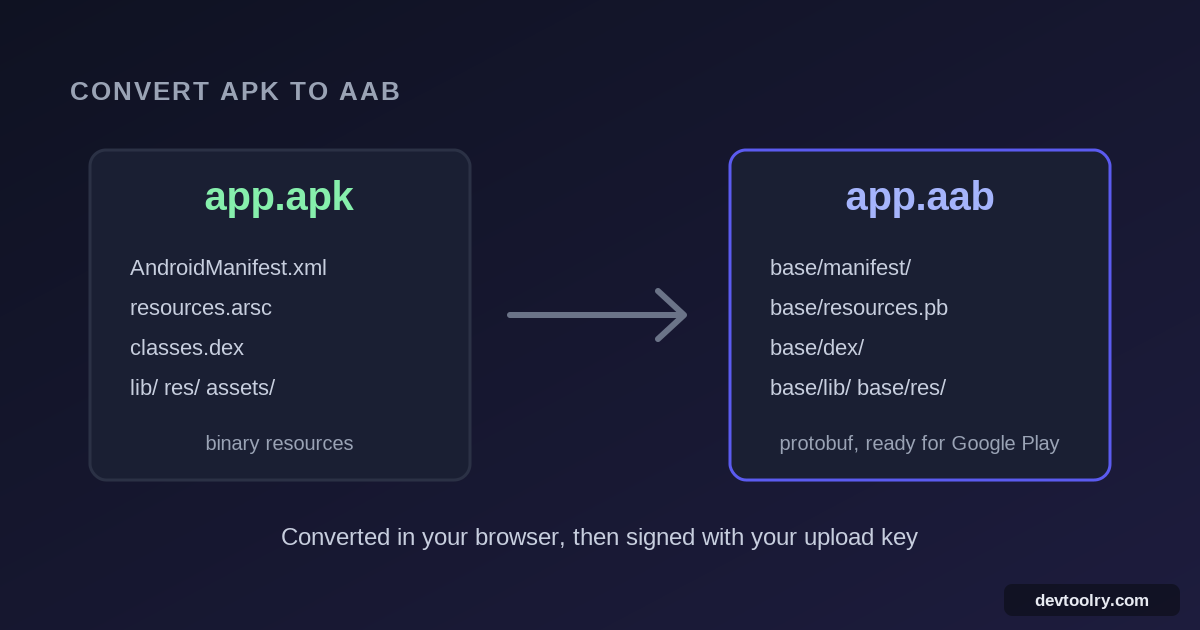
The same report also covers the other reasons Play rejects a release, such as the target API level, debug builds and 32-bit-only native code. Only have an APK and need a bundle for Play? The APK to AAB Converter keeps native libraries exactly as they are (and asks Play to align them to 16 KB when the APK stored them uncompressed), but it cannot fix a library that was linked for 4 KB pages: that needs a rebuild.
Method 2: check a library with llvm-objdump
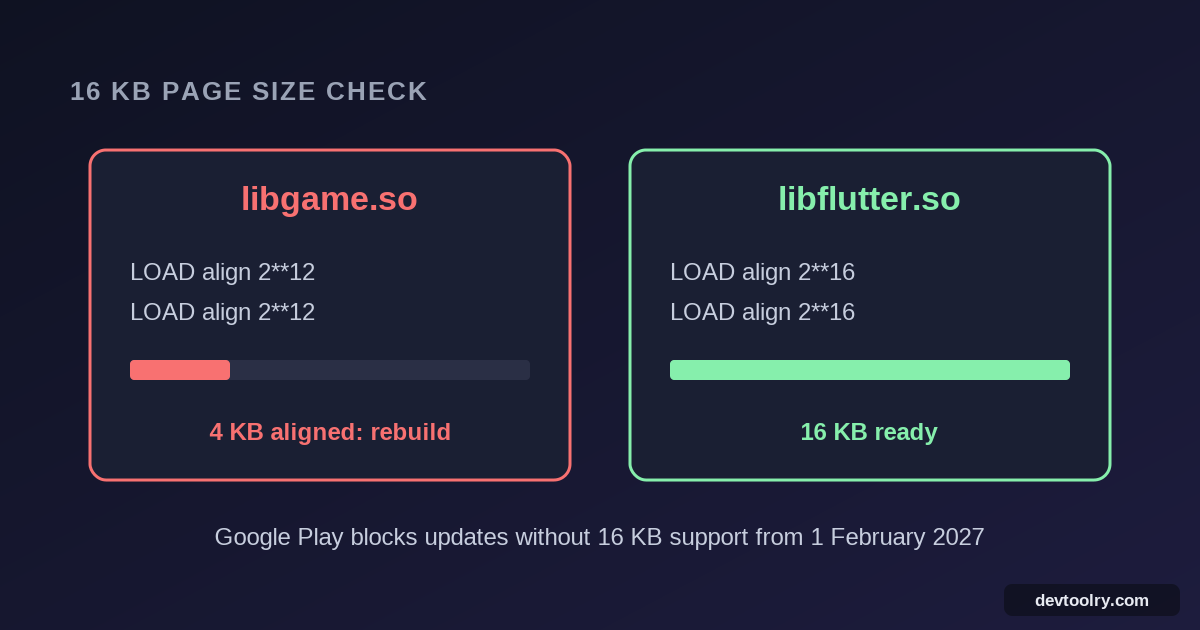
Every NDK includes llvm-objdump. Unzip the APK (it is a ZIP file) and print the program headers of a library; every LOAD line must say align 2**14 (16 KB) or more:
unzip -o app.apk 'lib/arm64-v8a/*'
$ANDROID_HOME/ndk/28.2.13676358/toolchains/llvm/prebuilt/linux-x86_64/bin/llvm-objdump -p lib/arm64-v8a/libflutter.so | grep LOAD
This is the Flutter engine from one of our test apps, and it passes with room to spare (2**16 is 64 KB):
    LOAD off    0x0000000000000000 vaddr 0x0000000000000000 paddr 0x0000000000000000 align 2**16
    LOAD off    0x00000000024777c0 vaddr 0x00000000024877c0 paddr 0x00000000024877c0 align 2**16
    LOAD off    0x0000000002508940 vaddr 0x0000000002528940 paddr 0x0000000002528940 align 2**16
A library linked for 4 KB pages shows 2**12 instead, and needs to be rebuilt:
    LOAD off    0x0000000000000000 vaddr 0x0000000000000000 paddr 0x0000000000000000 align 2**12
    LOAD off    0x0000000000000520 vaddr 0x0000000000001520 paddr 0x0000000000001520 align 2**12
On macOS the folder is darwin-x86_64 instead of linux-x86_64. Google also publishes a check_elf_alignment.sh script that runs the same check over a whole APK and prints ALIGNED or UNALIGNED for each library.
Method 3: check the APK's ZIP alignment
When native libraries are stored uncompressed (the default for current Android Gradle Plugin builds), Android loads them straight from the APK file, so each one must also start at a 16 KB offset inside the ZIP. zipalign from Build-Tools 35.0.0 or later checks that:
zipalign -c -P 16 -v 4 app.apkThe last line must read Verification successful. For a bundle, check that bundletool is told to align them:
bundletool dump config --bundle=app.aab | grep alignmentThe output should include "alignment": "PAGE_ALIGNMENT_16K".
Method 4: Android Studio and a 16 KB emulator
Android Studio's APK Analyzer (Build > Analyze APK) shows an Alignment column for the files in lib/ and flags misaligned libraries, and lint warns about prebuilt libraries that are not 16 KB aligned.
The real proof is running the app on a 16 KB system. In the SDK Manager, install a 16 KB Page Size system image (Android 15 or newer) and create an emulator with it. Recent Pixel phones also have a "Boot with 16KB page size" developer option. Check that it worked:
adb shell getconf PAGE_SIZEThe answer should be 16384. Then open every screen that uses native code, because a misaligned library only fails when it is loaded.
How to fix it
The fix depends on where the misaligned library comes from:
- Your own C or C++ code: build with NDK r28 or later, which aligns to 16 KB by default. With NDK r27 or older, add
-Wl,-z,max-page-size=16384and-Wl,-z,common-page-size=16384to the linker flags (in CMake, throughtarget_link_options). The-Wl,prefix passes an option through the compiler to the linker; our guide to GCC command-line options covers linking and libraries in more detail. - Zip alignment: upgrade to Android Gradle Plugin 8.5.1 or later and keep native libraries uncompressed.
- A game engine or framework: update to a version whose release notes mention 16 KB page support; the engine's own libraries are then rebuilt for you.
- A third-party SDK: check which SDK the library belongs to (the file name usually says), update it, and ask the vendor if no aligned version exists yet. An SDK you can't update is the most common reason apps miss the deadline, so check these first.
After rebuilding, run the Play Store Readiness Checker again on the new bundle. To try the release build on the 16 KB emulator without uploading it, turn the bundle into an installable APK with the AAB to APK Converter.
The deadline in short
All apps targeting Android 15 (API 35) or higher must support 16 KB pages on 64-bit devices, and from 1 February 2027 Google Play won't let you release updates that don't. Apps without native code are already fine. For everyone else the work is usually an NDK or SDK update and a rebuild, so check now, while there is time to wait for a vendor's fix.

Written by
Avinash Kori
Founder of Devtoolry
Avinash is a full-stack web developer from Surat, India, with eight years of experience in PHP, Laravel and Angular. He built Devtoolry so developers can solve everyday problems quickly with free tools that run entirely in the browser, and writes practical guides on the formats, encodings and techniques behind them.
Connect on LinkedInTry it yourself
The free tools used in this article. They run in your browser, so nothing you paste is uploaded.
Play Store Readiness Checker
Check an AAB or APK before you upload it to Google Play: target API level, debug builds and keys, 64-bit and 16 KB native libraries, restricted permissions.
APK to AAB Converter
Convert an APK to an Android App Bundle (.aab) online: resources are rebuilt in the aapt2 protobuf format, ready to sign and upload to Google Play. No upload.
AAB to APK Converter
Convert an Android App Bundle (.aab) to one installable APK online: resources are rebuilt and the APK is signed with a test key in your browser. No upload.