How to Generate TypeScript Types from JSON API Responses
Turn a JSON sample into TypeScript interfaces, then fix what a generator can't know: nullable fields, optional keys, unions, dates and runtime validation.
 By Avinash KoriPublished 6 min read
On this page
Typing API data by hand is slow and error-prone. You read a response, write an interface, miss a field that only appears sometimes, and find out in production. Generating types from a real JSON sample gets you 90% of the way in seconds. The last 10% (fields that can be null, keys that are sometimes missing, strings that are really dates) needs a human, because no sample can show everything an API might send.
This guide shows what a generator infers, where it's guaranteed to be wrong, and how to finish the job so your types match the API rather than one example of it.
Step 1: generate a first draft
Start from a real response. Here is a user from a fictional code-hosting API:
{
  "id": 42,
  "login": "ada",
  "email": null,
  "isAdmin": false,
  "createdAt": "2026-10-15T09:30:00Z",
  "profile": { "bio": "Engineer", "links": ["https://example.com"] },
  "repos": [
    { "name": "engine", "stars": 120, "topics": ["math"] },
    { "name": "notes", "stars": 3, "archived": true, "topics": [] }
  ]
}
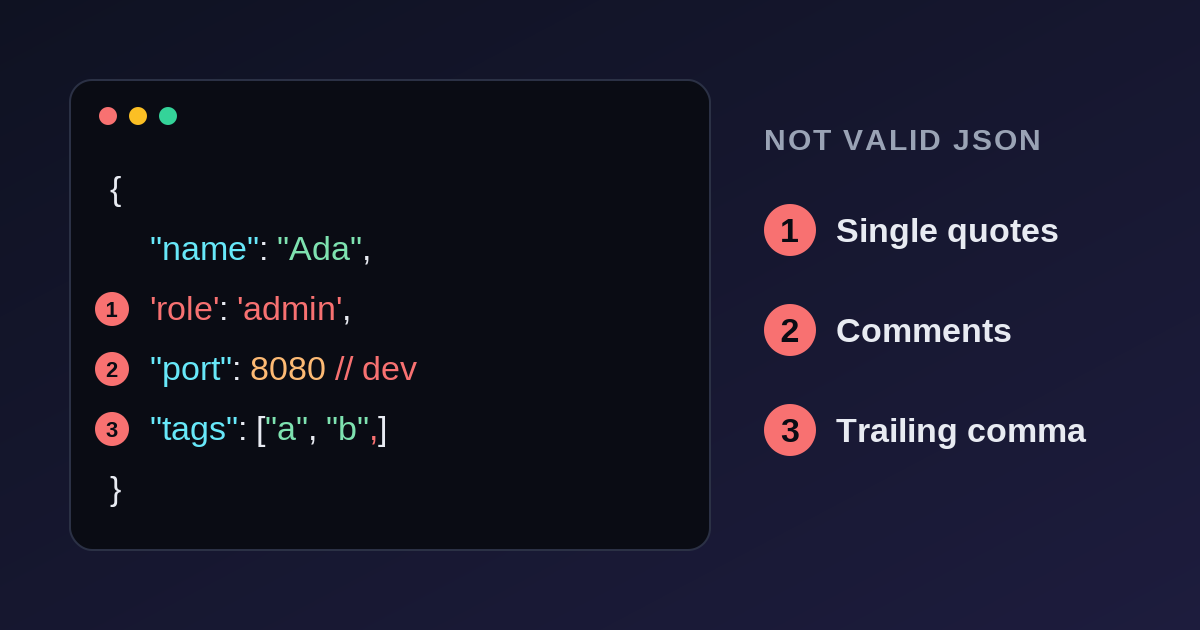
Paste it into the JSON to TypeScript converter, set the root name to User, and you get the interfaces below. If the converter rejects a sample you copied from JavaScript code, the cause is almost always a trailing comma, a single-quoted string or an unquoted key; common JSON syntax errors lists each error message and its fix.
export interface User {
  id: number;
  login: string;
  email: null;
  isAdmin: boolean;
  createdAt: string;
  profile: Profile;
  repos: Repo[];
}

export interface Repo {
  name: string;
  stars: number;
  topics: string[];
  archived?: boolean;
}

export interface Profile {
  bio: string;
  links: string[];
}
Several things are already right. Nested objects became named interfaces (Profile, Repo) instead of one unreadable inline type. And because the converter looked at every item in repos, it noticed that archived appears in only one of them and marked it optional (archived?). It also merged the empty topics: [] with ["math"] to get string[].
Step 2: fix what one sample can't show
Now read the draft critically. A sample only shows values that happened to be present, so check these four things every time.
Nullable fields
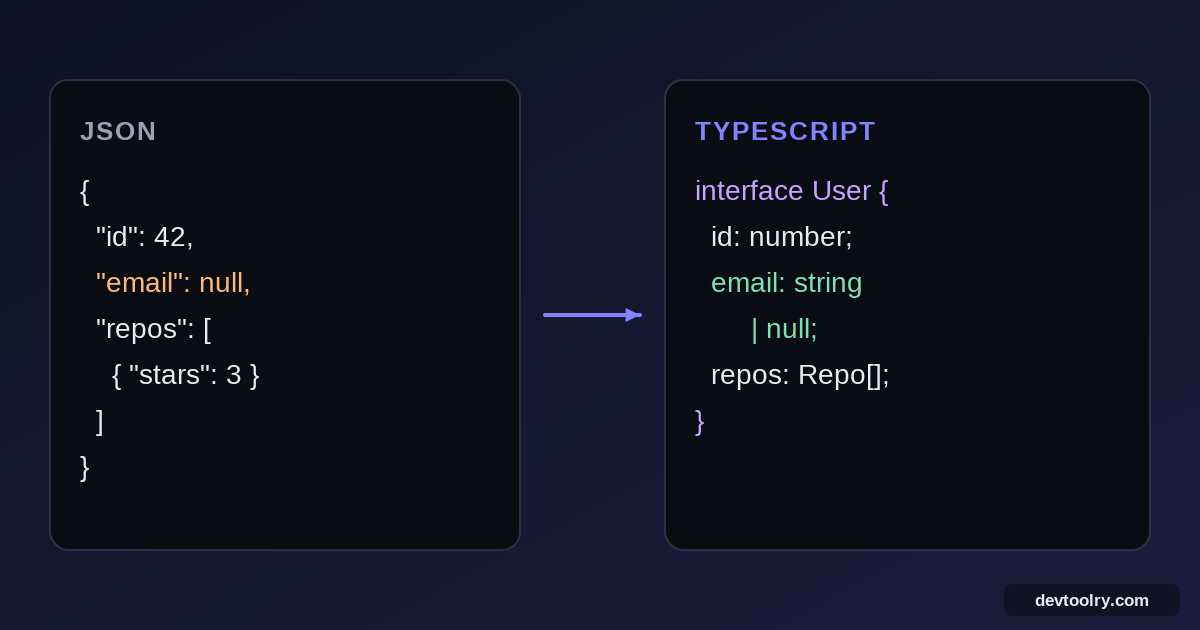
email: null is the most obvious problem. The sample user had no public email, so the generator could only see null. The real type is a string or null:
email: string | null;Search the generated code for : null; and null[] and fix each one. They're almost always "this value is sometimes missing".
Optional versus nullable
TypeScript distinguishes a key that may be absent (archived?: boolean) from a key that is always present but may be null (email: string | null). APIs use both, sometimes in the same object. Check the API documentation, or compare several responses: if the key disappears entirely, it's optional; if it's there with null, it's nullable. If both happen, write archived?: boolean | null.
Strings that are really something narrower
The generator types createdAt as string, which is correct: JSON has no date type, so dates arrive as text. Don't change it to Date. JSON.parse won't create Date objects, and a type that says otherwise is a lie the compiler will happily believe. Convert explicitly where you use it (if the API sends a number instead, it is a Unix timestamp, so check whether it counts seconds or milliseconds first, as Unix timestamps explained shows):
const created = new Date(user.createdAt);Fields with a fixed set of values deserve a union instead of string:
role: 'owner' | 'admin' | 'member';Now the compiler catches if (user.role === 'admn') and editors can autocomplete the options.
Arrays and empty samples
An empty array in the sample gives no information about its items. If every sample has topics: [], the converter can only write unknown[] (other tools write never[] or any[]). Find a richer sample, or fill in the type yourself. The same applies to an object that is empty in the sample.
Tip: generate from several responses at once. Put them in an array (
[response1, response2, response3]) and convert that. The converter merges the items, so a key missing from one response becomes optional, and annullin one and a string in another becomesnull | string.
Step 3: interface or type?
The converter can produce interface or type declarations. For object shapes like these they are interchangeable in daily use. Common conventions:
- Use
interfacefor object shapes, especially in libraries, because interfaces can be extended and merged, and error messages show their names. - Use
typewhen you need unions, intersections or mapped types:type Status = 'active' | 'suspended'.
Pick one style per project and stay consistent. It matters less than getting null right.
Step 4: validate at runtime
This is the step most teams skip, and it's the most important. TypeScript types disappear when your code is compiled. When you write:
const user = (await response.json()) as User;you are asserting that the response is a User, not checking it. If the API changes stars to a string or drops login, the compiler can't know, and the error surfaces far away from the cause. For data from outside your program (APIs, files, localStorage, message queues), validate it where it enters.
A schema library such as Zod lets you write the shape once and get both the check and the type:
import { z } from 'zod';

const Repo = z.object({
  name: z.string(),
  stars: z.number().int().nonnegative(),
  topics: z.array(z.string()),
  archived: z.boolean().optional(),
});

const User = z.object({
  id: z.number(),
  login: z.string(),
  email: z.string().email().nullable(),
  isAdmin: z.boolean(),
  createdAt: z.string().datetime(),
  repos: z.array(Repo),
});

type User = z.infer<typeof User>;

async function getUser(id: number): Promise<User> {
  const response = await fetch(`https://api.example.com/users/${id}`);
  if (!response.ok) throw new Error(`HTTP ${response.status}`);
  return User.parse(await response.json());
}
If the response doesn't match, User.parse throws an error that names the field, such as email: Invalid email address. That's a bug report you can act on, at the boundary where the bad data arrived. Use safeParse when you'd rather handle the failure than throw.
Validation also documents the rules a plain type can't express: stars must be a non-negative integer and createdAt must be an ISO date-time.
Step 5: check the types compile
Paste the types and a few lines that use them into the TypeScript Compiler. It type-checks in strict mode, so it will flag places where you forgot that email can be null:
function domain(user: User): string {
  return user.email.split('@')[1] ?? '';
  //     ~~~~~~~~~~ 'user.email' is possibly 'null'.
}
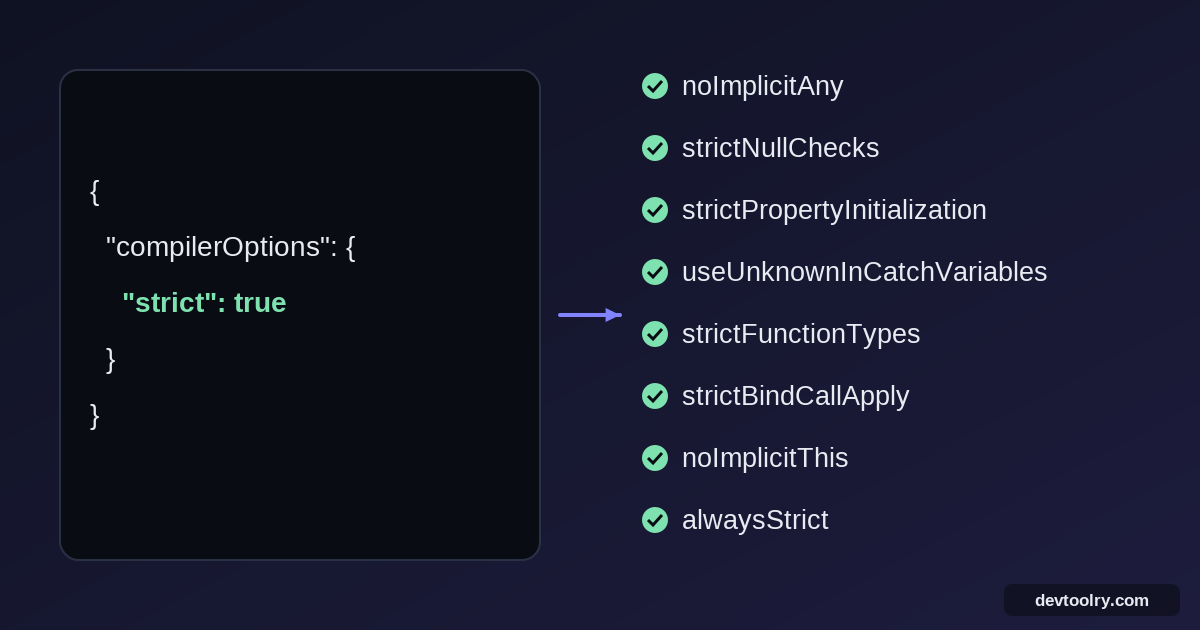
That error is exactly the bug the generated email: null type would have hidden. Strict mode's strictNullChecks is what makes nullable types useful; our guide to TypeScript strict mode explains the flags in detail.
When to generate, and when not to
Generating types from samples is ideal for exploring a new API, typing a third-party service with no published schema, or writing a quick script. For APIs you depend on long-term, prefer types generated from the source of truth: an OpenAPI specification, a GraphQL schema or a protobuf definition. Those describe every possible response, not one example of it.
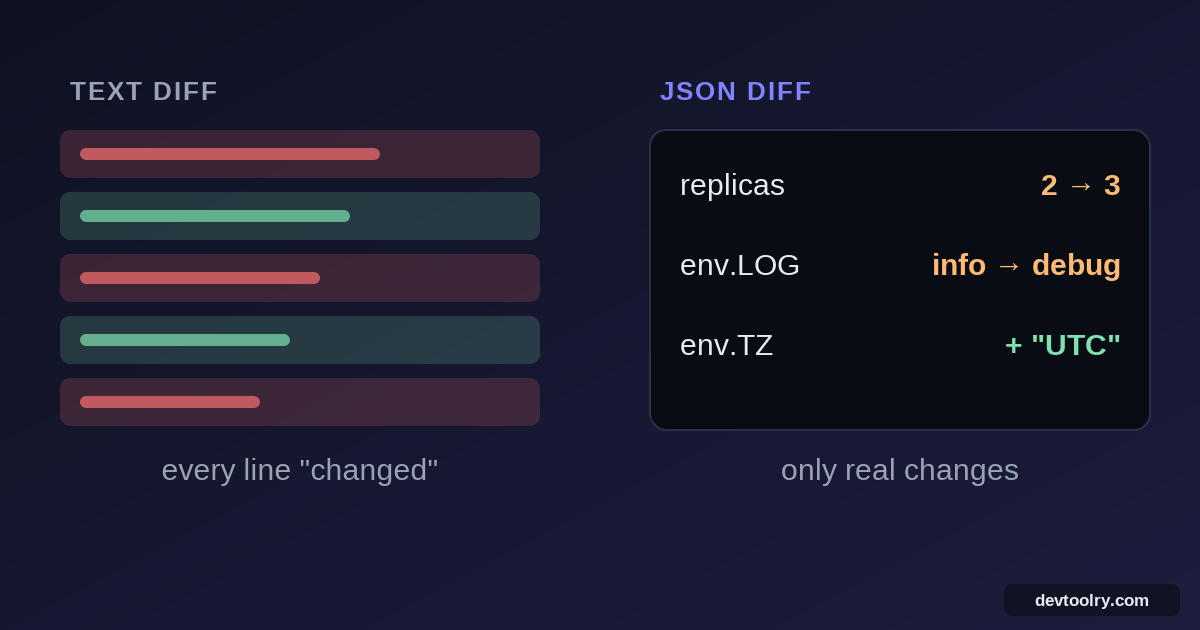
Either way, keep the sample you generated from. When the API changes, regenerate from a new sample and compare the two outputs with the Text & Code Diff to see exactly which fields changed.
Summary
A JSON-to-TypeScript generator gives you a fast, accurate first draft, including nested interfaces and optional keys found across array items. Then fix what a sample can't reveal: replace null types with real unions, decide between optional and nullable, use literal unions for fixed values, keep dates as strings, and validate untrusted data at runtime so the types stay true.

Written by
Avinash Kori
Founder of Devtoolry
Avinash is a full-stack web developer from Surat, India, with eight years of experience in PHP, Laravel and Angular. He built Devtoolry so developers can solve everyday problems quickly with free tools that run entirely in the browser, and writes practical guides on the formats, encodings and techniques behind them.
Connect on LinkedInTry it yourself
The free tools used in this article. They run in your browser, so nothing you paste is uploaded.
JSON to TypeScript
Generate TypeScript interfaces from JSON online, including nested objects and arrays. Paste an API response and copy ready-to-use types into your code.
TypeScript Compiler
Compile and run TypeScript online. Your code is type-checked with the official compiler in strict mode, then runs in a sandboxed worker in your browser.
JSON Formatter
Format and beautify JSON with configurable indentation and optional key sorting. Errors are reported with exact line and column.