Passport Photo Size by Country: Dimensions for the US, UK, India and More
Passport photo dimensions by country: US 2 × 2 in, UK and Schengen 35 × 45 mm, Canada 50 × 70 mm, China 33 × 48 mm, with head sizes, backgrounds and pixels.
 By Avinash KoriPublished 7 min read
On this page
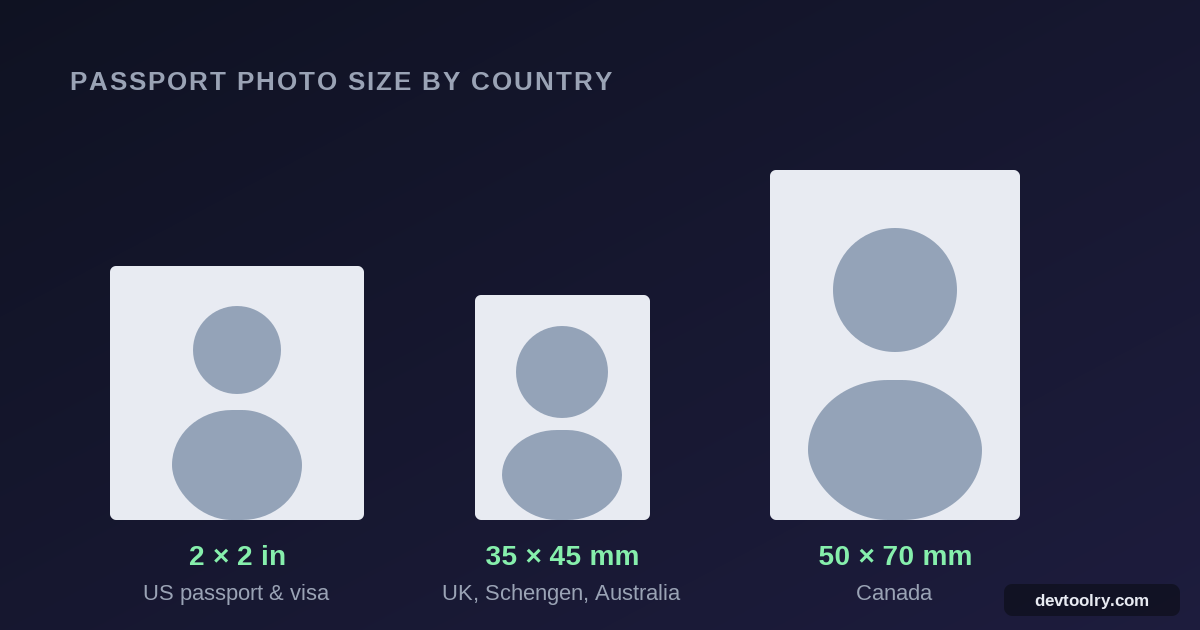
There are three common passport photo sizes. 2 × 2 inches (51 × 51 mm) is used for US passports, US visas and Indian visas. 35 × 45 mm (3.5 × 4.5 cm) is used for UK, Schengen, Australian and many other passports. 50 × 70 mm is used for Canadian passports. China visas use a fourth size, 33 × 48 mm.
The outside size is only half the rule, though. Every document also sets how big your head must be inside the frame, the background colour and, for online forms, the pixel size and file size. This guide lists all of these for each country, with the official page each figure comes from.
Passport photo dimensions by country
| Document | Photo size | Head size (chin to crown) | Background |
|---|---|---|---|
| US passport | 2 × 2 in (51 × 51 mm) | 25–35 mm (1 to 1⅜ in) | Plain white or off-white |
| US visa (DS-160) | 2 × 2 in (51 × 51 mm) | 25–35 mm (1 to 1⅜ in) | Plain white or off-white |
| India visa and e-Visa | 2 × 2 in (51 × 51 mm) | 25–35 mm | Plain white or light-coloured |
| UK passport | 35 × 45 mm | 29–34 mm | Plain cream or light grey |
| Schengen visa and EU passports | 35 × 45 mm | 32–36 mm | Plain and light (light grey for German passports) |
| Australia passport | 35 × 45 mm (35–40 × 45–50 mm accepted) | 32–36 mm | Plain white or light grey |
| Canada passport | 50 × 70 mm | 31–36 mm | Plain white or light-coloured |
| China visa | 33 × 48 mm | 28–33 mm, and 15–22 mm wide | White |
| Indian application forms | 3.5 × 4.5 cm (35 × 45 mm) | Set by each form | Plain white or light, unless the form says otherwise |
Head size is measured from the bottom of the chin to the top of the hair (the crown), not to the eyebrows or the forehead. This is the rule people get wrong most often, and it is why a photo cut to the right outside size can still be rejected.
These figures were compared with the official pages listed at the end of this guide on 3 November 2026. Rules change, so open the page for your document before you print.
American passport photo size
A US passport photo is 2 × 2 inches (51 × 51 mm), and the head must measure 1 to 1⅜ inches (25–35 mm) from the bottom of the chin to the top of the head. That's roughly half to two-thirds of the photo's height. The background must be plain white or off-white, with no shadows or patterns.
Other rules from the U.S. Department of State that catch people out:
- No glasses. You have to take them off, even if you wear them every day.
- No filters or retouching. A beauty filter or an edited skin tone gets the photo rejected.
- A recent photo. The photo must show what you look like now, so use one taken in the last 6 months.
The US visa photo for the DS-160 form has the same size and head rules. Because you upload it, there's also a digital rule: a square JPEG between 600 × 600 and 1200 × 1200 pixels, 240 KB or smaller.
UK, Schengen and Australia: 35 × 45 mm
35 × 45 mm is the most widely used passport size, but the head size inside it differs:
- UK passport: head 29–34 mm, on a plain cream or light grey background. For an online application, GOV.UK wants the original, uncropped photo of at least 600 × 750 pixels (50 KB to 10 MB) and crops it itself. Use the 35 × 45 mm size only for printed photos.
- Schengen visas and EU passports: head 32–36 mm, on a plain, light background. Germany asks for light grey for its own passports.
- Australia: head 32–36 mm, on plain white or light grey. The Passport Office accepts 35–40 mm by 45–50 mm and asks for photo-lab prints, not inkjet prints from a home printer.
In proportion, the Schengen and Australian rule puts the head at 71–80% of the photo's height, much more than the US rule. That's why a US photo cut down to 35 × 45 mm usually fails: the face is too small.
Canada passport photo size
Canada uses a larger photo: 50 × 70 mm, with a head of 31–36 mm, on a plain white or light-coloured background. If you renew online, the rules are different. Canada wants an unedited JPEG straight from the camera, at least 1200 × 1800 pixels and between 200 KB and 5 MB. Don't crop or resize that file yourself; use the 50 × 70 mm size for printed photos only.
China and India visa photos
A China visa photo is 33 × 48 mm on a white background, taken within the last 6 months. The head must be 28–33 mm tall and 15–22 mm wide, so the face fills more of the frame than in most other countries.
An Indian visa or e-Visa photo is 2 × 2 inches, like the US one, with a head of 25–35 mm on a plain white or light background. The e-Visa upload must be a square JPEG between 350 × 350 and 1000 × 1000 pixels and between 10 KB and 300 KB, and glasses are not allowed.
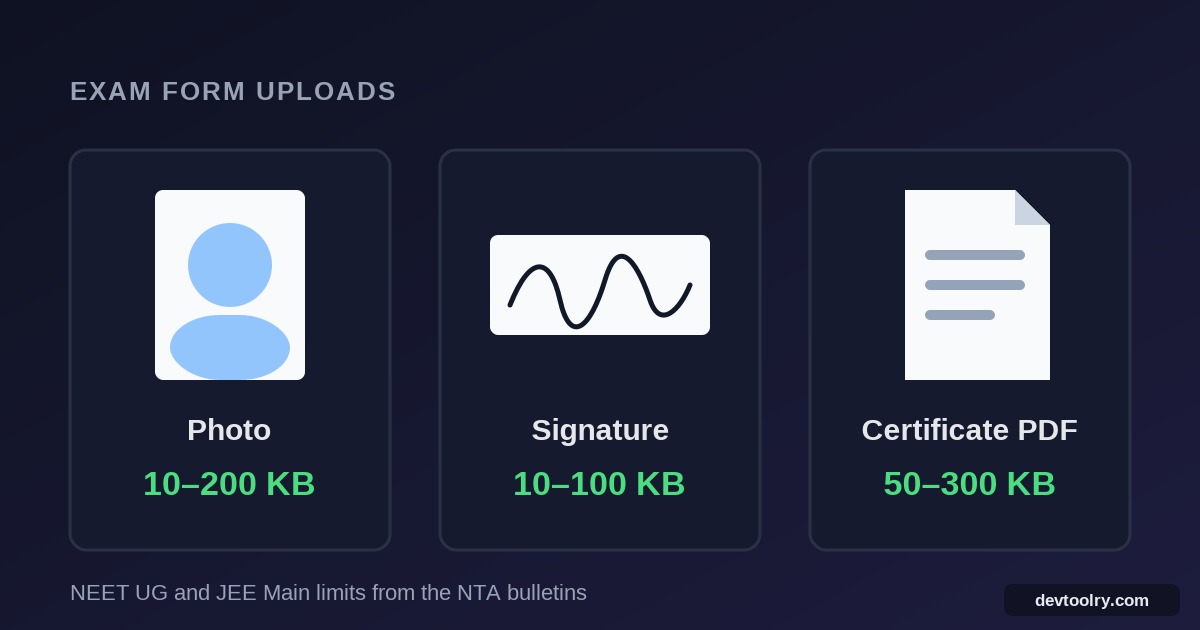
Indian application forms (exams, bank jobs, government schemes) usually ask for a "passport-size photo" of 3.5 × 4.5 cm, often as a JPEG of 20–50 KB. Each form sets its own limits, so check its notification. Some recent exam forms take a live photo from the webcam instead of an upload.
Passport photo sizes in pixels
For an online form, the size that matters is in pixels. At 300 DPI, the resolution photo labs print at:
| Photo size | Pixels at 300 DPI | Photos on one 4 × 6 in print |
|---|---|---|
| 2 × 2 in (51 × 51 mm) | 600 × 600 | 6 |
| 35 × 45 mm | 413 × 531 | 8 |
| 33 × 48 mm | 390 × 567 | 9 |
| 50 × 70 mm | 591 × 827 | 4 |
The formula is millimetres ÷ 25.4 × DPI. If the form gives its own pixel size, use that instead. Passport photo size in pixels explains the conversion and how to resize a phone photo to it.
The last column is useful when you print. A 4 × 6 inch print (10 × 15 cm) costs very little at a photo lab or a pharmacy kiosk. Fill it with photos placed edge to edge and you get six to nine passport photos for the price of one print.
How to make a passport photo at the right size
The Passport Photo Maker has every size in the tables above:
- Choose the document, for example US passport (2 × 2 in) or Schengen visa & EU passports (35 × 45 mm).
- Open a photo taken against a plain wall, facing the camera, with your shoulders in the frame.
- The tool finds your head and scales it between that document's head-size guide lines. Drag or zoom if you want to adjust the framing.
- It replaces the background with the colour that document needs. For the UK it starts with light grey; for most others it uses white.
- Download a single JPG for an online form, or a 4 × 6 in, 5 × 7 in, A4 or Letter sheet as a JPG or PDF to print.
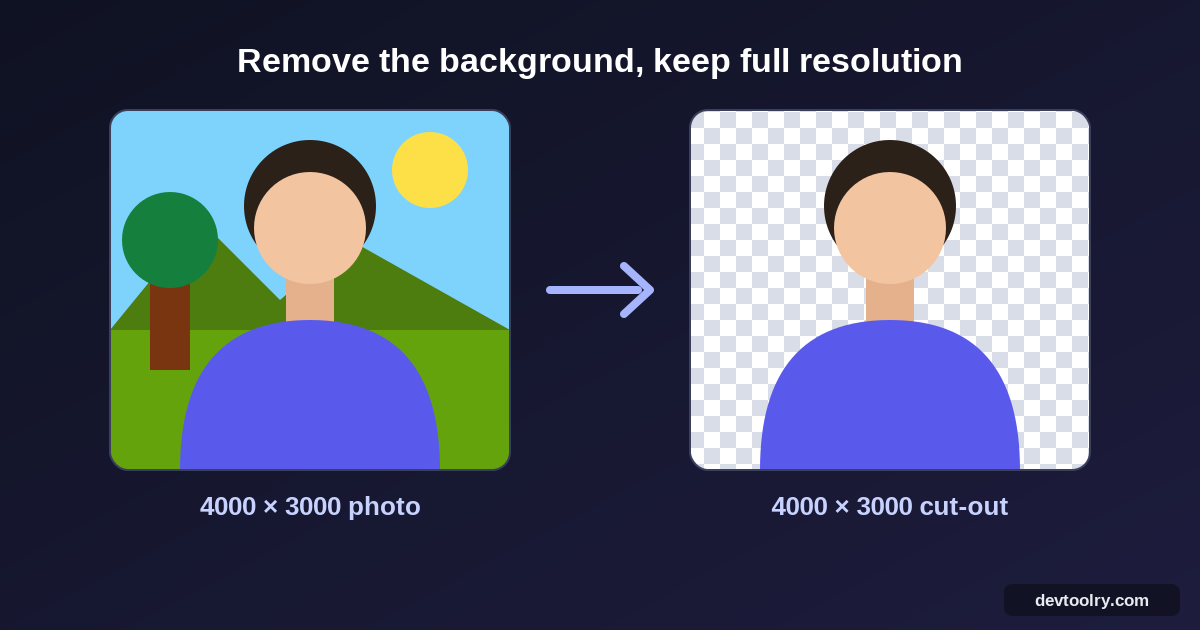
Everything runs in your browser and the photo is never uploaded. If you only need a white background on another picture, the Background Remover does that on its own. If a form sets a strict KB limit, the Image Compressor finds the best quality that fits it. Compressing an image to 20 KB shows what each common limit looks like.
Print the sheet at 100% or "actual size". "Fit to page" scales it, and then every photo comes out slightly too small.
Common mistakes
- Wrong head size. The outside size is right but the head is too small, usually because the photo was taken from too far away. Fill the guide lines from chin to crown.
- Shadows on the background. Stand about half a metre away from the wall and face a window, so no shadow falls behind your head.
- Using one photo for every document. A US 2 × 2 photo cropped to 35 × 45 mm, or a UK photo used for a China visa, has the wrong head proportion. Make each one from the original photo.
- Cropping a file that should not be cropped. UK online applications and Canadian online renewals want the original camera file. Cropping it yourself gets it rejected.
- Glasses and filters. The US passport, US visa and Indian e-Visa rules ban glasses outright. US passports don't accept filters or retouching, and Canada's online renewal rejects edited files.
Official sources
- United States passport: U.S. Department of State, passport photos
- United States visa: U.S. Department of State, visa photo requirements
- United Kingdom: GOV.UK, photo requirements
- Schengen and German passports: German Federal Foreign Office, biometric photo sample (PDF)
- Canada: Government of Canada, passport photos
- Australia: Australian Passport Office, passport photos
- China visa: Chinese Consulate General in Los Angeles, visa photo requirements
- India visa: Indian Visa Online, instructions
Summary
US passports and visas use 2 × 2 inch photos with a 1 to 1⅜ inch head. The UK, the Schengen countries and Australia use 35 × 45 mm, Canada 50 × 70 mm and China visas 33 × 48 mm. The head size and background differ even between countries that share an outside size, so make each photo for its own document. Check the official page before you print, and print sheets at actual size.

Written by
Avinash Kori
Founder of Devtoolry
Avinash is a full-stack web developer from Surat, India, with eight years of experience in PHP, Laravel and Angular. He built Devtoolry so developers can solve everyday problems quickly with free tools that run entirely in the browser, and writes practical guides on the formats, encodings and techniques behind them.
Connect on LinkedInTry it yourself
The free tools used in this article. They run in your browser, so nothing you paste is uploaded.
Passport Photo Maker
Make passport and visa photos online: US 2×2 in, UK, Schengen, India 3.5×4.5 cm and more, with AI white background, head guides and a 4×6 print sheet. No upload.
Background Remover
Remove the background from photos free with AI: full HD resolution, bulk images, transparent PNG or white background. No upload, no sign-up, no watermark.
Image Compressor
Compress JPG, PNG and WebP images online to an exact size like 20 KB, 50 KB or 100 KB for upload forms, or by quality. Images never leave your browser.